Birthyay: You might never forget a birthday again.
You know how often you forget birthdays, or remember them late. After conducting interviews, I discovered that many people struggle with remembering birthdays or remember them too late. The apps designed to fix it fall short – they fail to answer crucial questions like “what if I need frequent reminders?” or “what if I want a centralized place to prepare notes, messages, and gifts for the celebrant?”
Toni just missed her friend’s birthday again. George got a Snapchat ping that said “Today is Toni’s birthday” and panicked. Different stories, same problem.
I missed Faith’s birthday again! I wish there was a way to set reminders days, or even months before, and on the day itself.
Toni
Oh no, I didn’t realize today is Toni’s birthday. I forgot to get a gift, and finding notes about Toni across apps is so frustrating.
George
Problem
Social media and calendar apps quietly drop the ball.
Notifications and calendars often fail to help users remember and prepare for birthdays, especially for friends who aren’t on the same social platforms. People miss the day because they can’t set reminders in advance, or they’re reminded once on the day and still forget by lunchtime.
Solution
A reminder app that remembers like a person would.
Birthyay lets users input dates, ages, and custom reminders well in advance – and on the birthday itself. It doesn’t stop there. You can save and share birthdays, write notes about your friends so gifts and messages feel personal, and pin a Duolingo-style widget that keeps upcoming birthdays in front of you all month.
Backstory
It started as a design competition. It became a product.
The idea originated from a Lighthall design competition: build a page or two of a birthday reminder app, with a WhatsApp message hook. The brief was tight, but the app made sense to me – manual entry, multiple reminders, a backup if social media reminders fail. I shipped the entry, advanced to the next stage, and made a mental note to revisit it.
Research
A year later, I started from the user, not the design.
I revisited Birthyay with new perspective, set goals, drafted more screens – and noticed I was making assumptions without user input. So I built a survey for young adults and older people, distributed it widely, and let the answers steer the redesign.
Findings
I was wrong about the competition.
I assumed competitors were social media platforms. Most people actually relied on Facebook, Snapchat, and Google or phone calendars. They wanted: customizable reminders, note-taking, sharing, messaging integration, offline syncing, a permanent widget, and a friendlier interface. The gaps were specific, not vague.
- 01Customizable reminders, set well in advance
- 02Note-taking + messaging integration
- 03Engaging UI that earns regular use
- 04Offline syncing – reminders that work without internet
- 05A permanent widget so birthdays stay top-of-mind
Onboarding
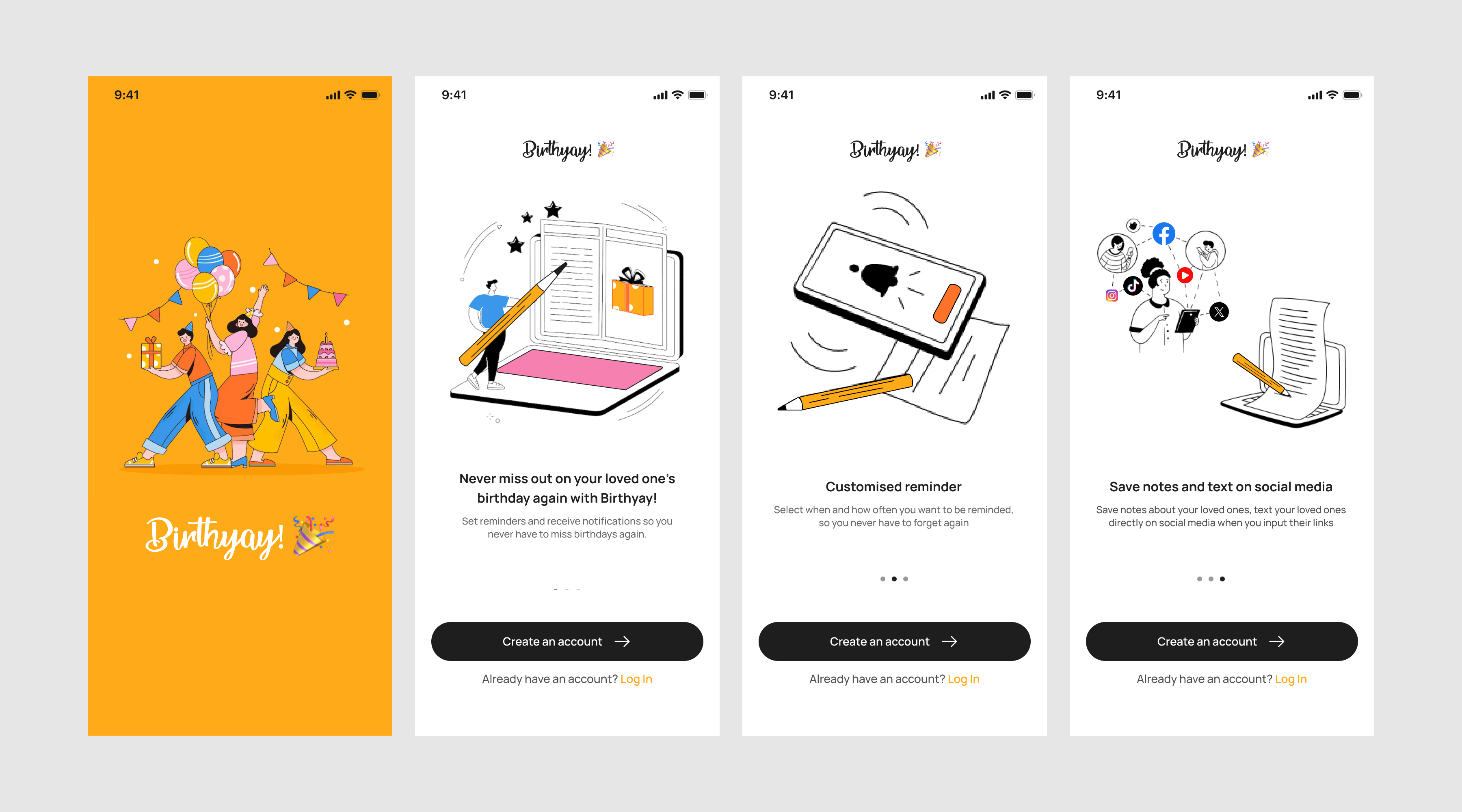
Onboarding screens, short and honest.
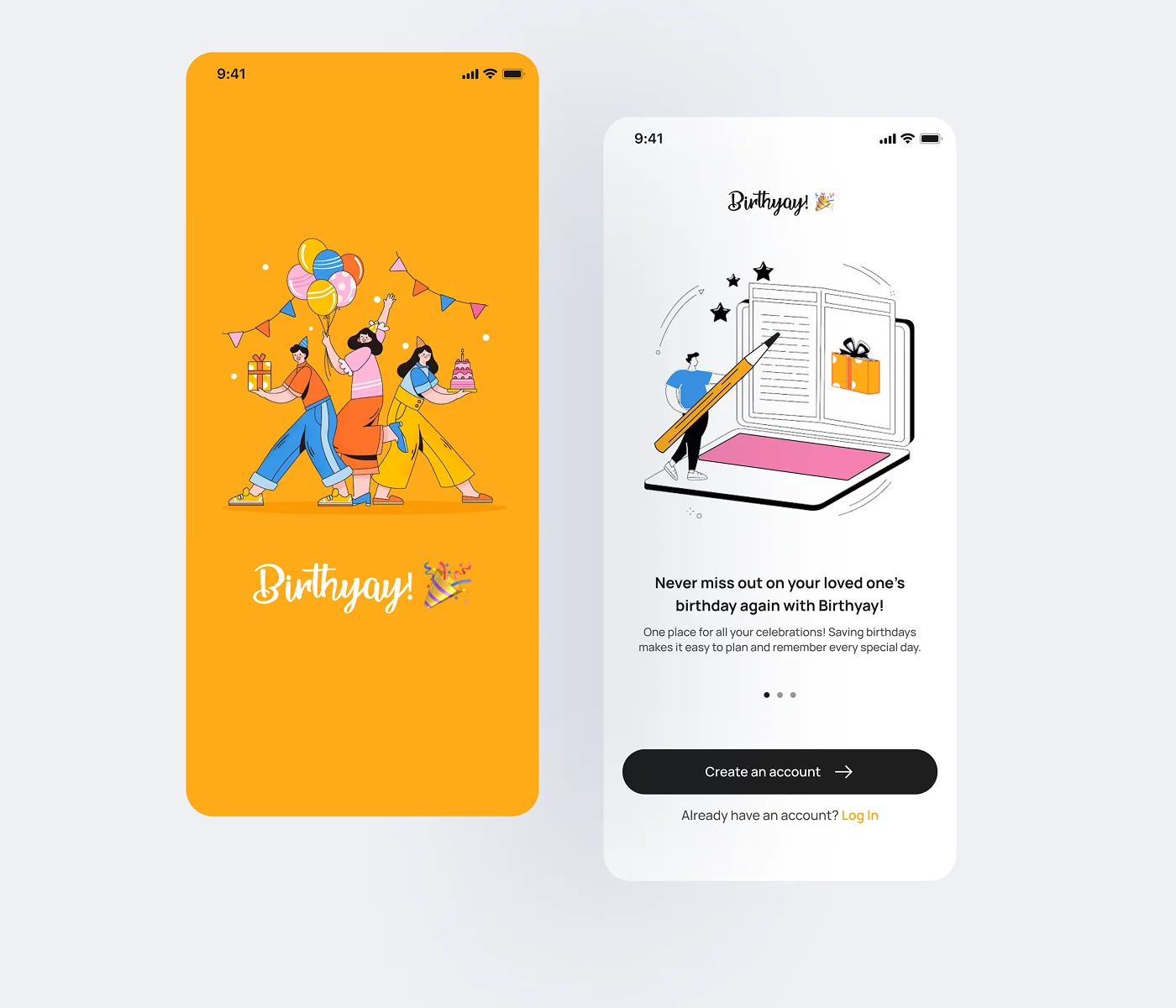
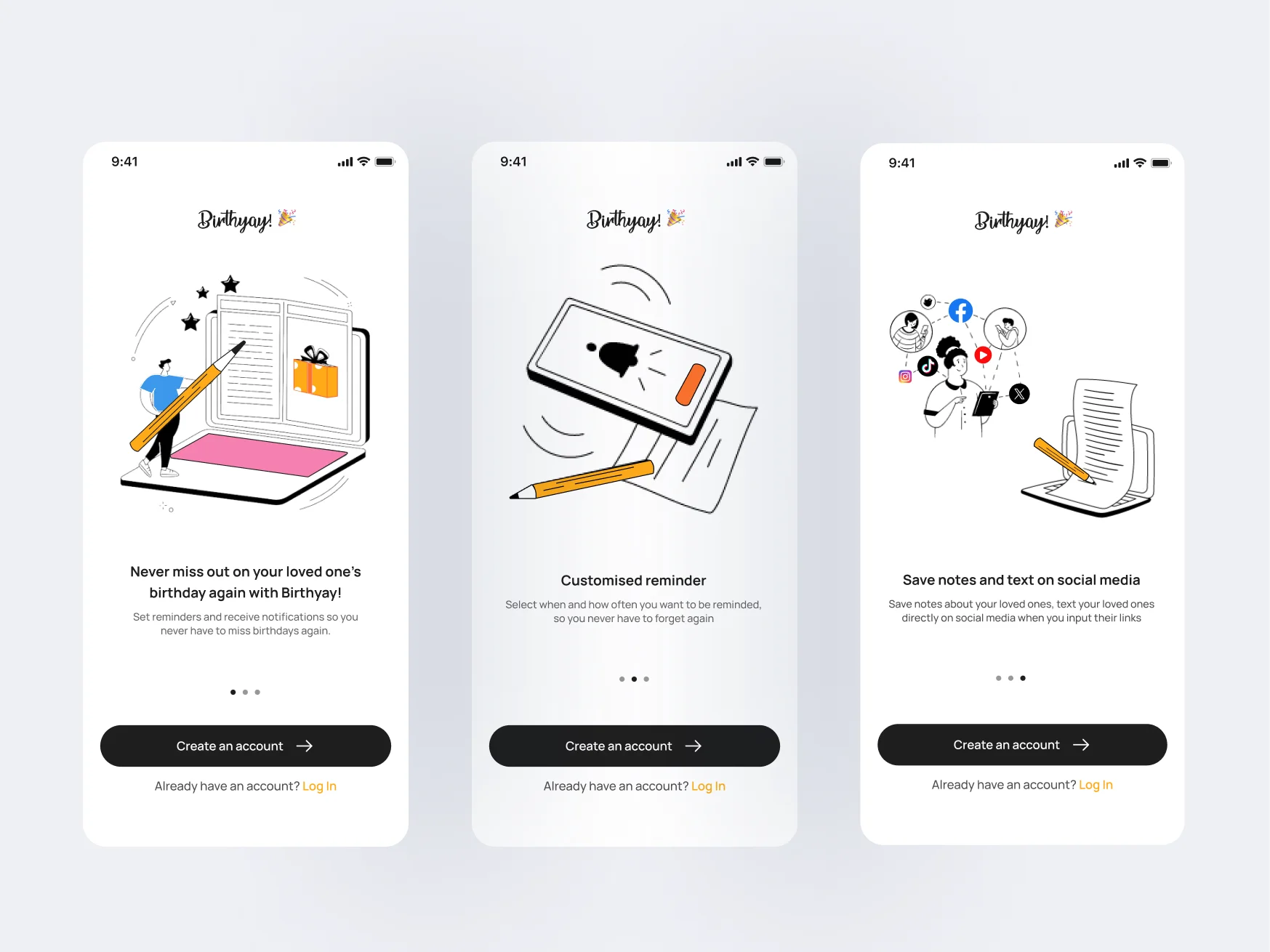
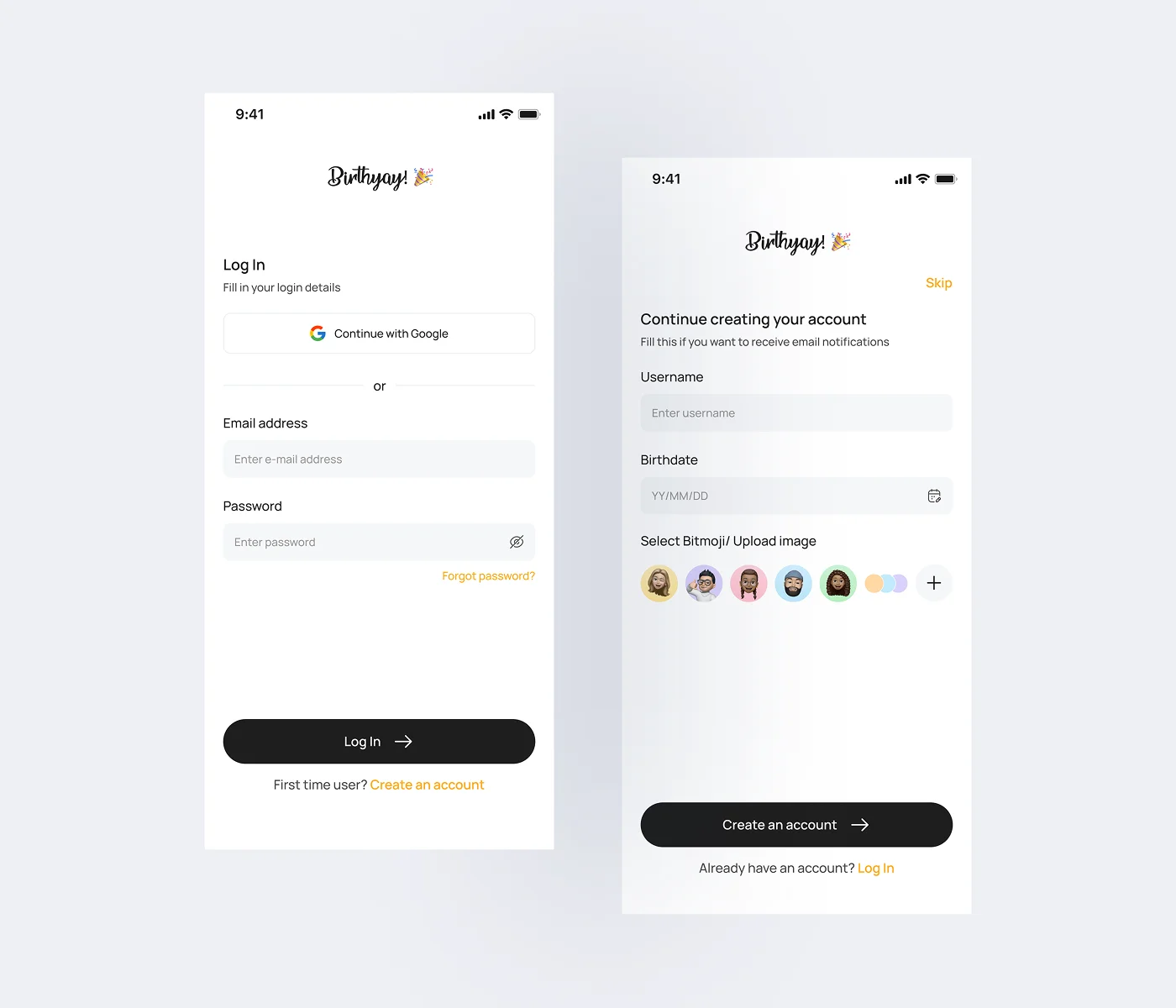
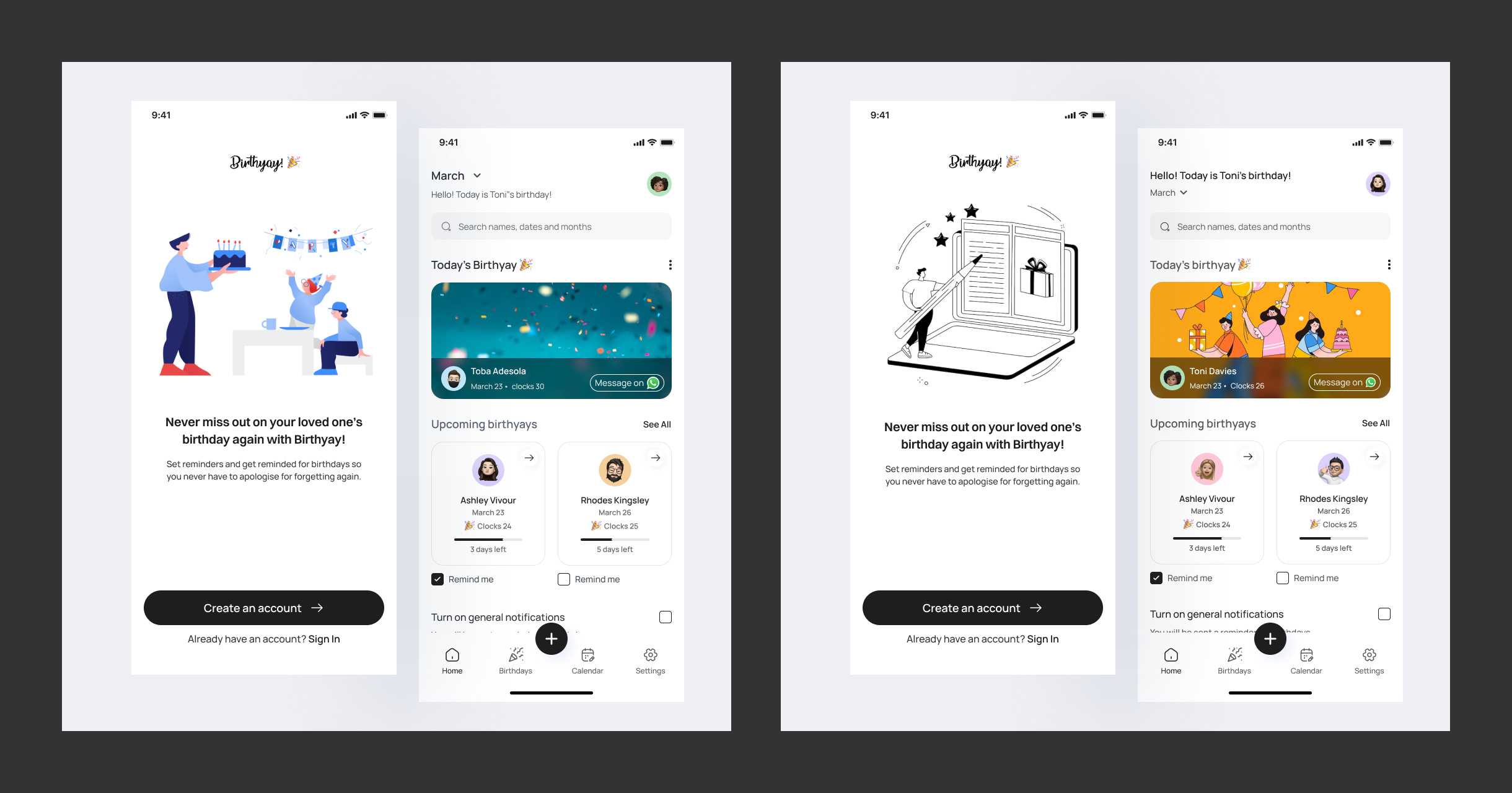
Three short screens that explain key features without lecturing. Account creation is optional on first launch – there’s a skip – but it matters for users who switch phones or want email reminders.
Homepage
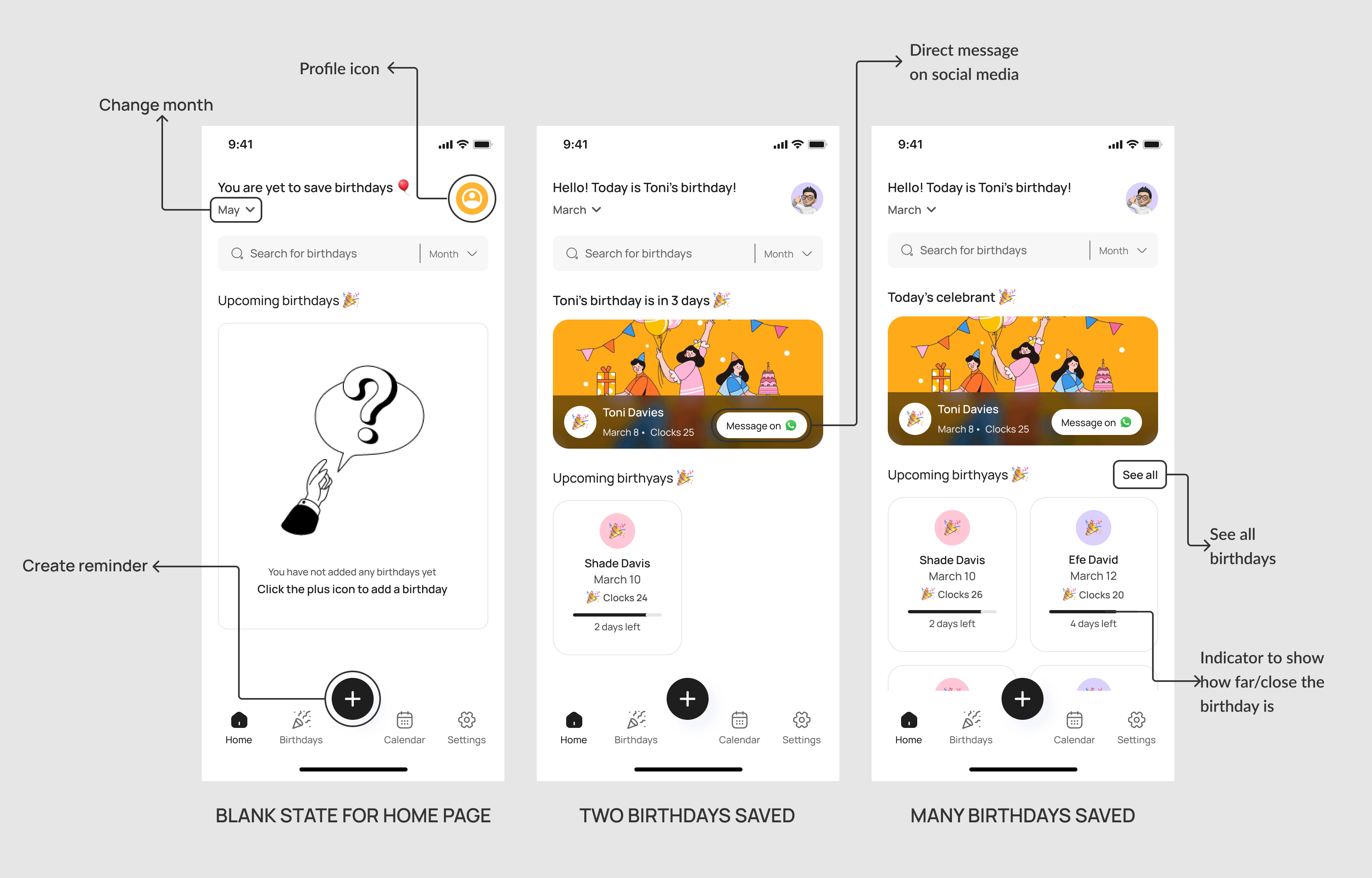
A homepage that handles the empty state.
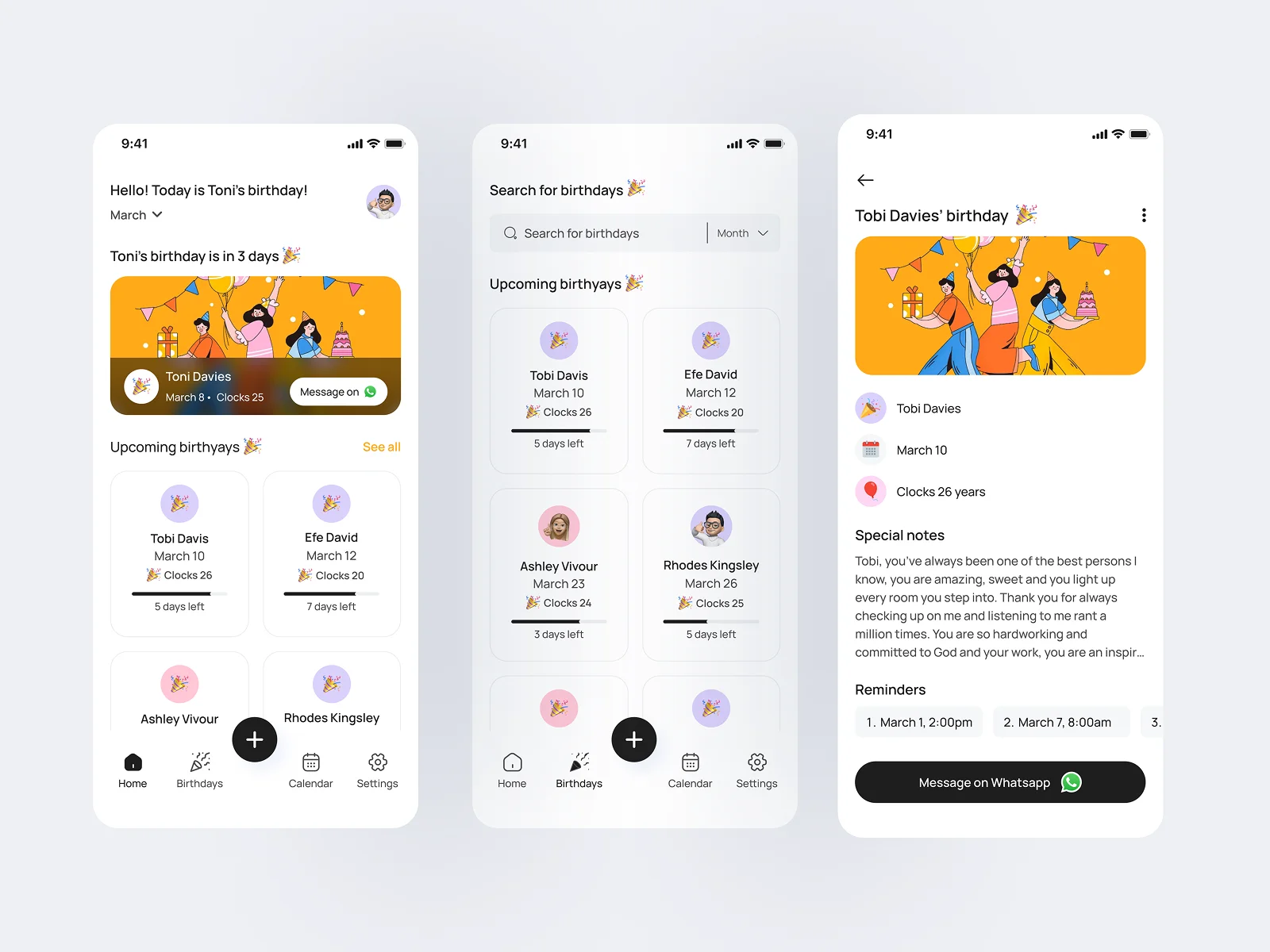
Blank states for unsaved birthdays. From the homepage you can message today’s celebrant on the social platform they’re on, jump to a full list of upcoming birthdays, or switch months to peek ahead.
Input Flow
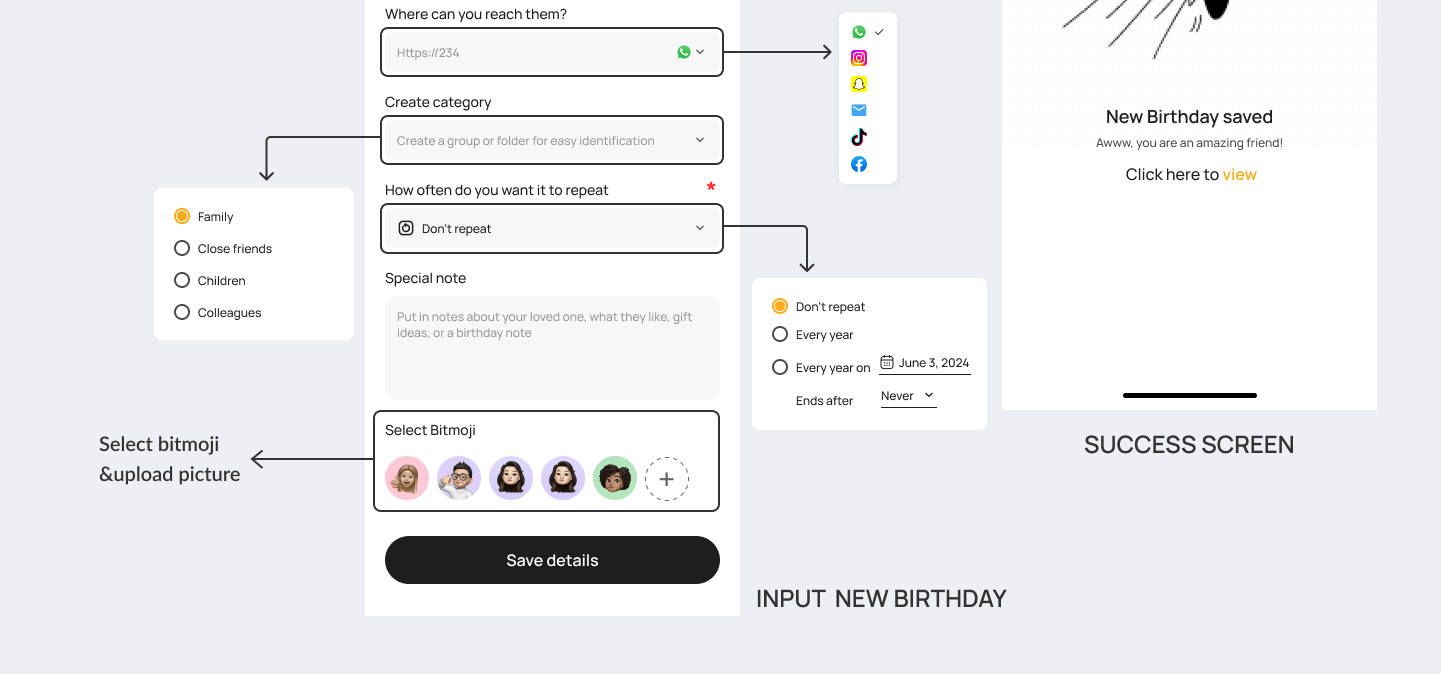
Mandatory fields kept honest. Optional ones kept obvious.
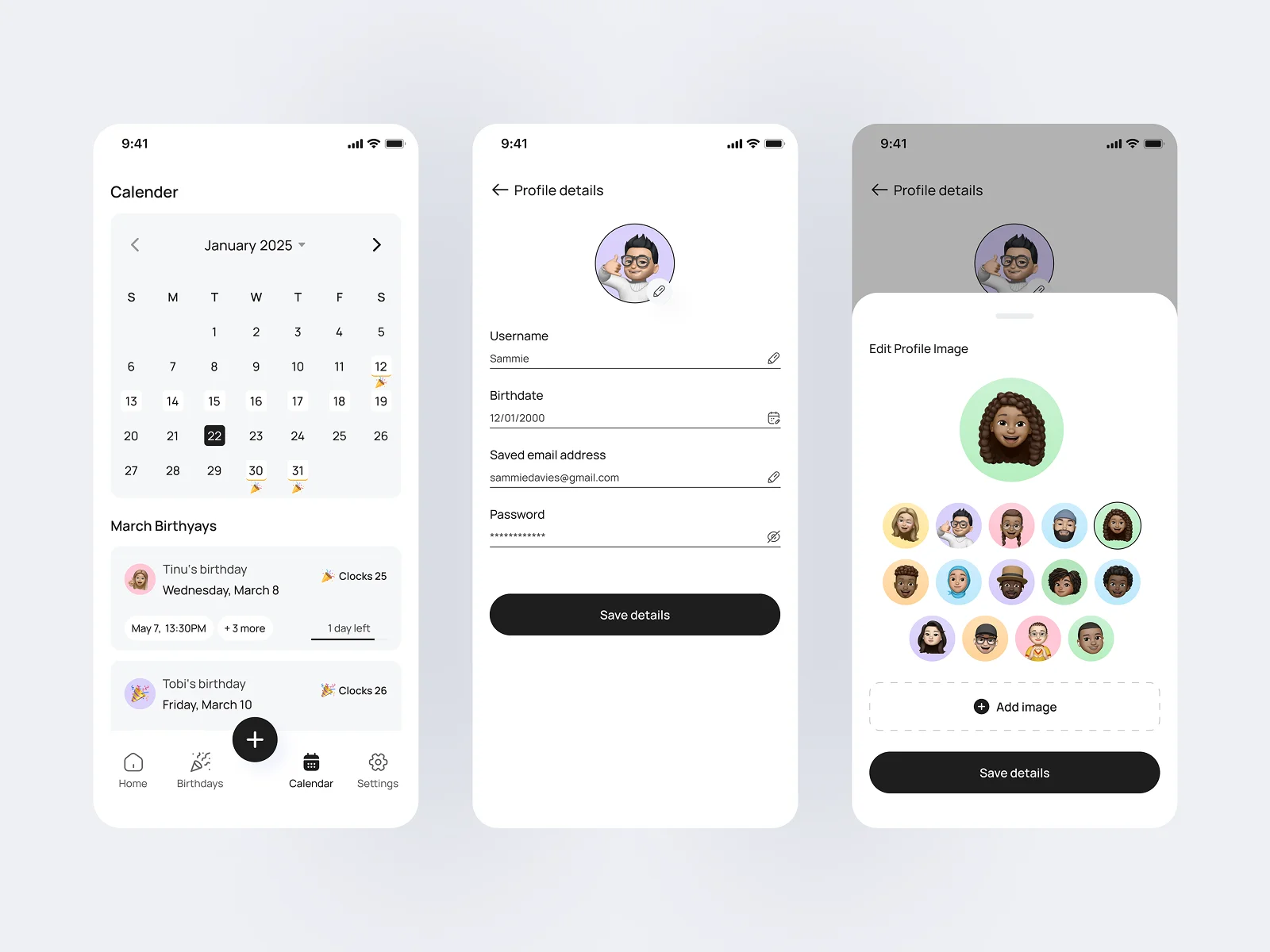
The input screen mixes required and optional fields – required ones (name, birthday, reminder date) keep the data clean; optional ones (age, notes, Bitmoji) keep the form from feeling like homework. Custom reminders, categories, repeat cadences, social links to message from inside the app.
Saved + Search
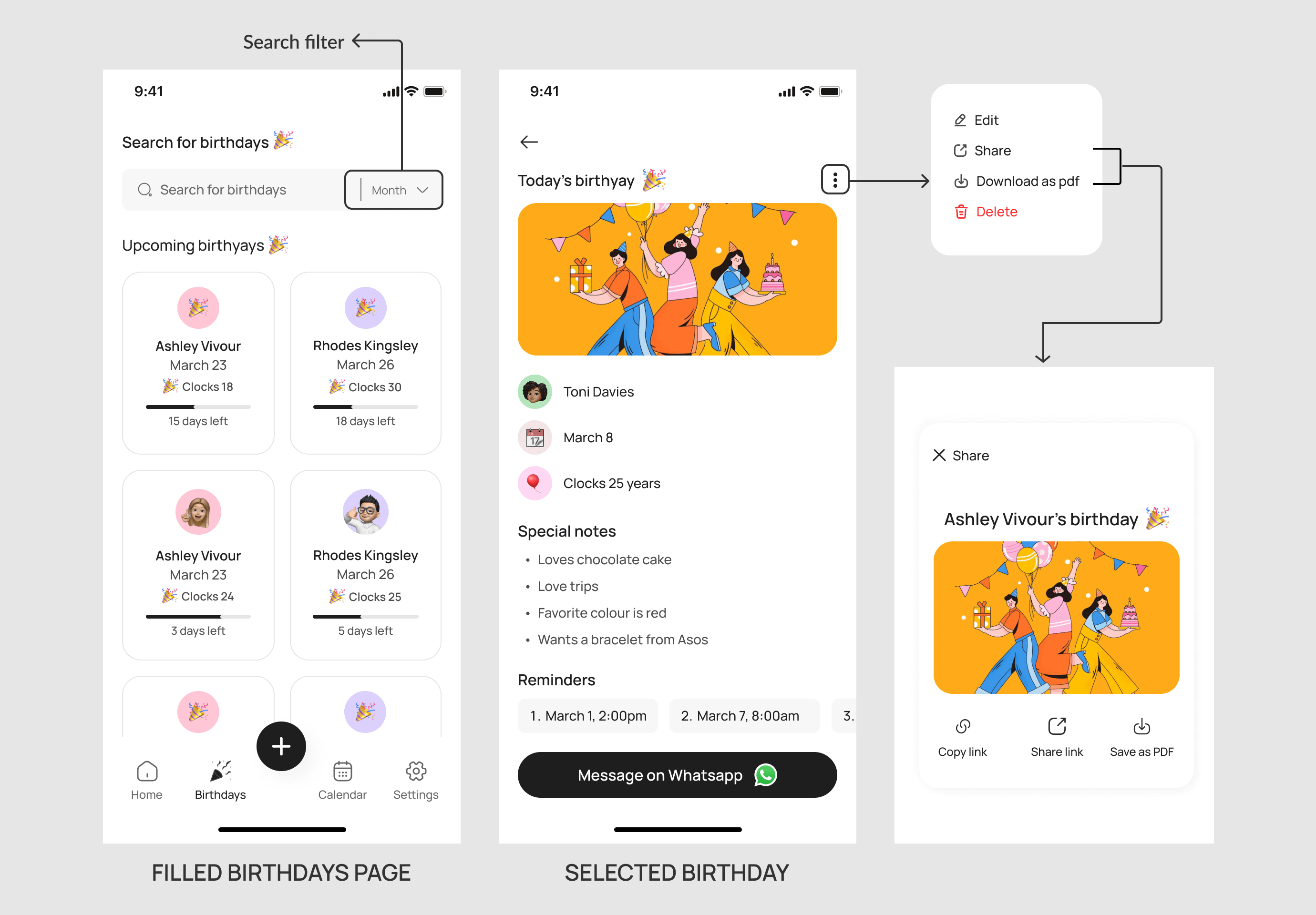
Find a birthday in two taps.
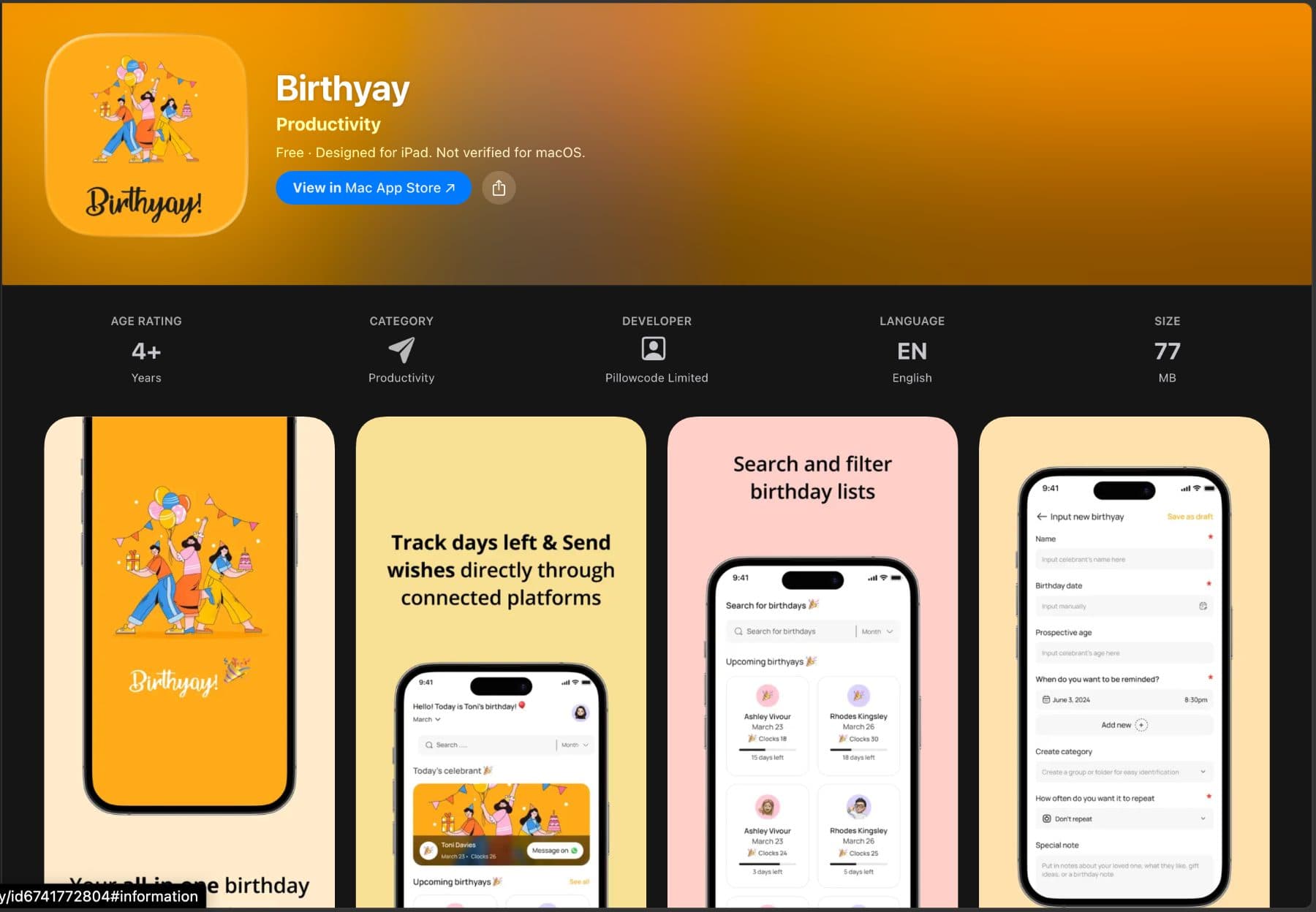
A search bar with month/category filters for users with long lists. Each saved birthday opens to a detail page with a kebab menu – share, edit, delete, download as PDF. Sharable reminders mean users can pull friends into a plan without leaving the app.
Widget
Duolingo-streak energy, for birthdays.
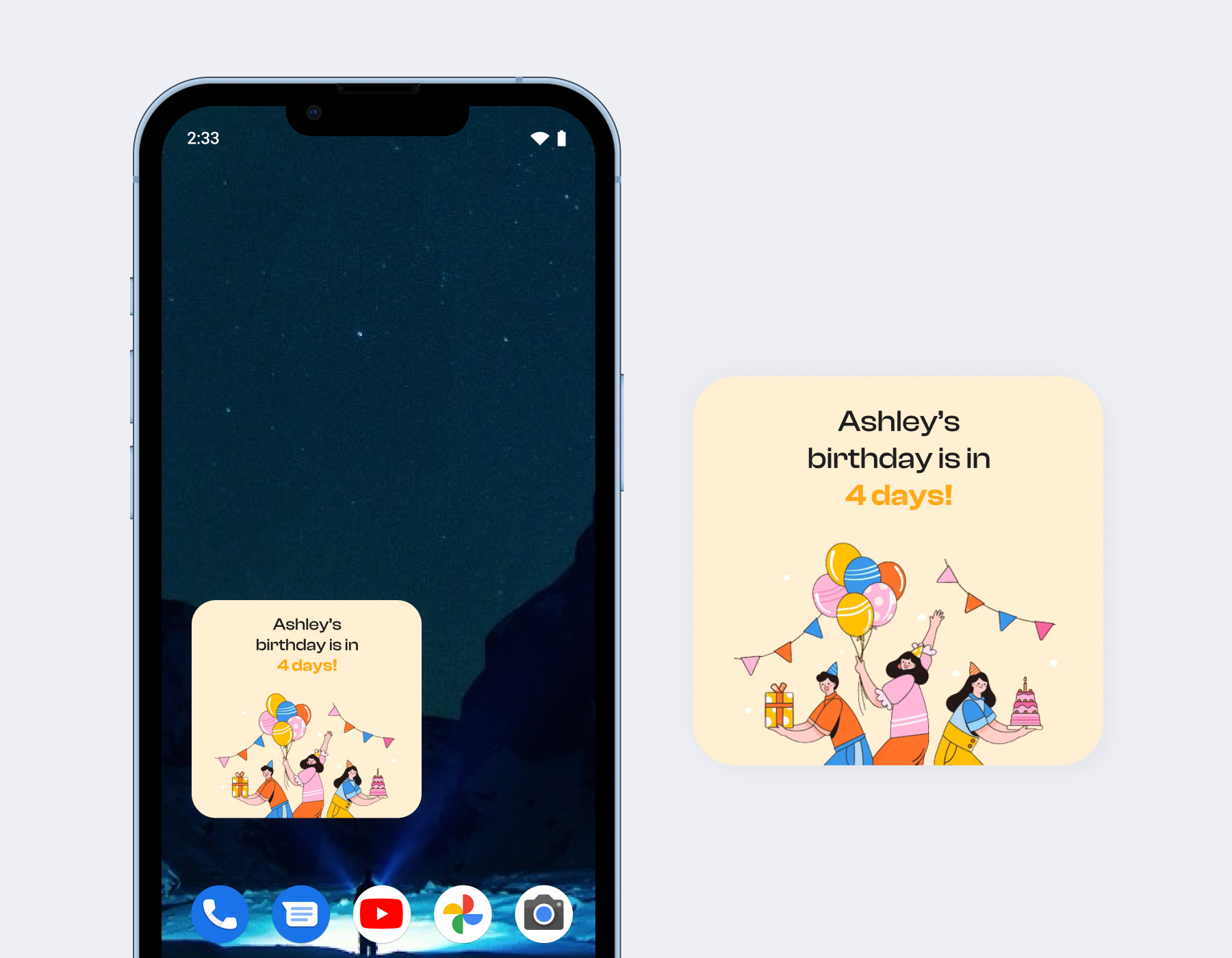
Birthyay’s widget functions like Duolingo’s streak tracker, but tuned for birthdays. Countdowns at 1 week, 3 days, 1 day, and on the day itself, for every birthday you’ve registered. Timely reminders so you’re never the person who realized late.
Testing
I tested two mascots. Everyone picked the same one.
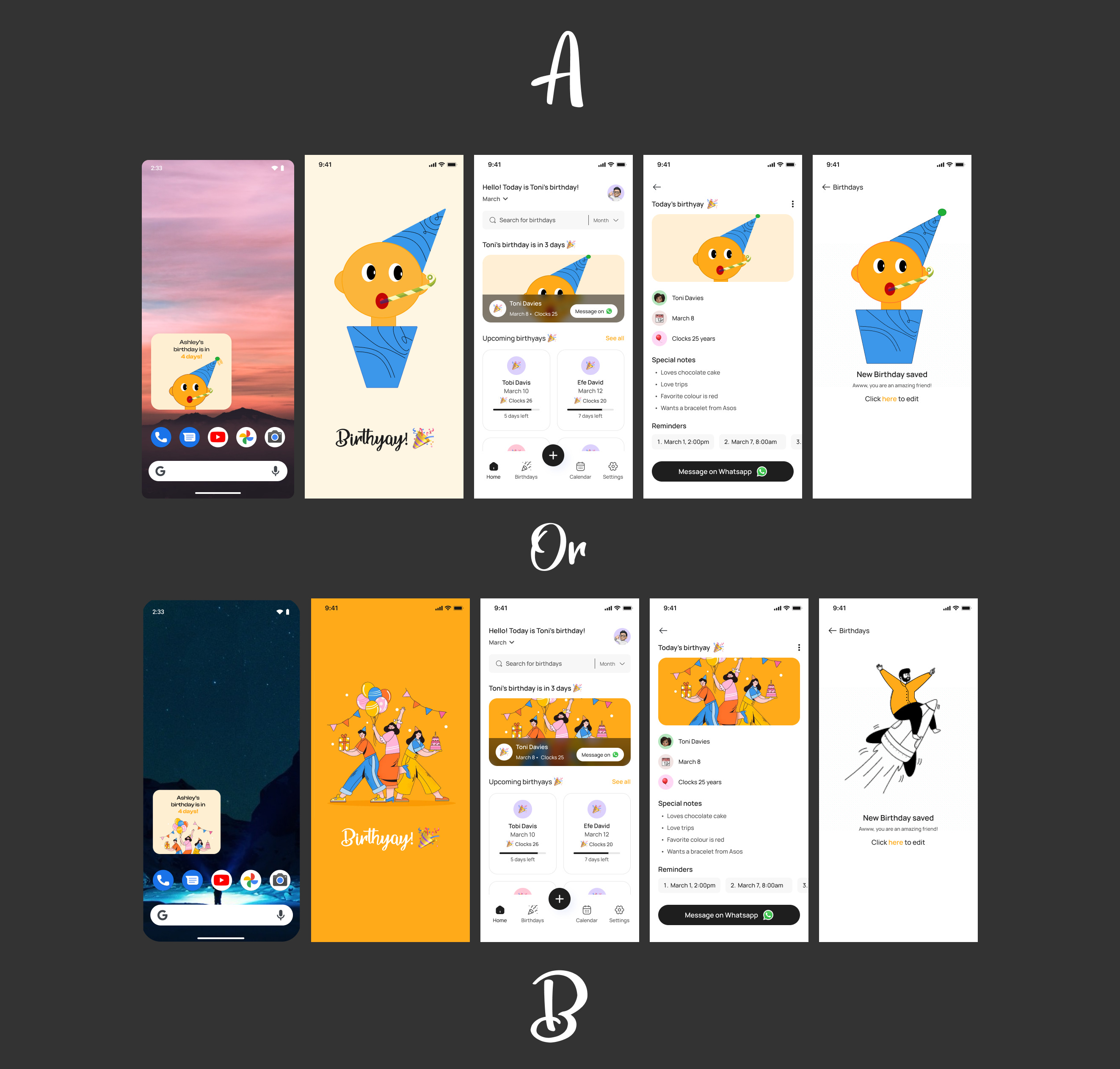
After designing, I made two mascot variations and ran user testing for two reasons – to pick the mascot, and to watch how people navigated. The mascot vote was unanimous: everyone chose option B. Option A read as too childish.
Takeaway
The right question, asked early enough.
When I started, one question kept showing up – what makes this stand out? The answer didn’t arrive at once. It came through conversations, surveys, and the patience to keep redesigning while listening. Research isn’t a step in design; it’s the lever that makes everything else possible.
The interface is lovely, modern, and very easy to understand.
The notes feature is brilliant. That was the first thing I thought of before going through the prototype, and I was so excited to see that it was included.