
Nestrovar: An AI-powered hiring pipeline for African tech talent.
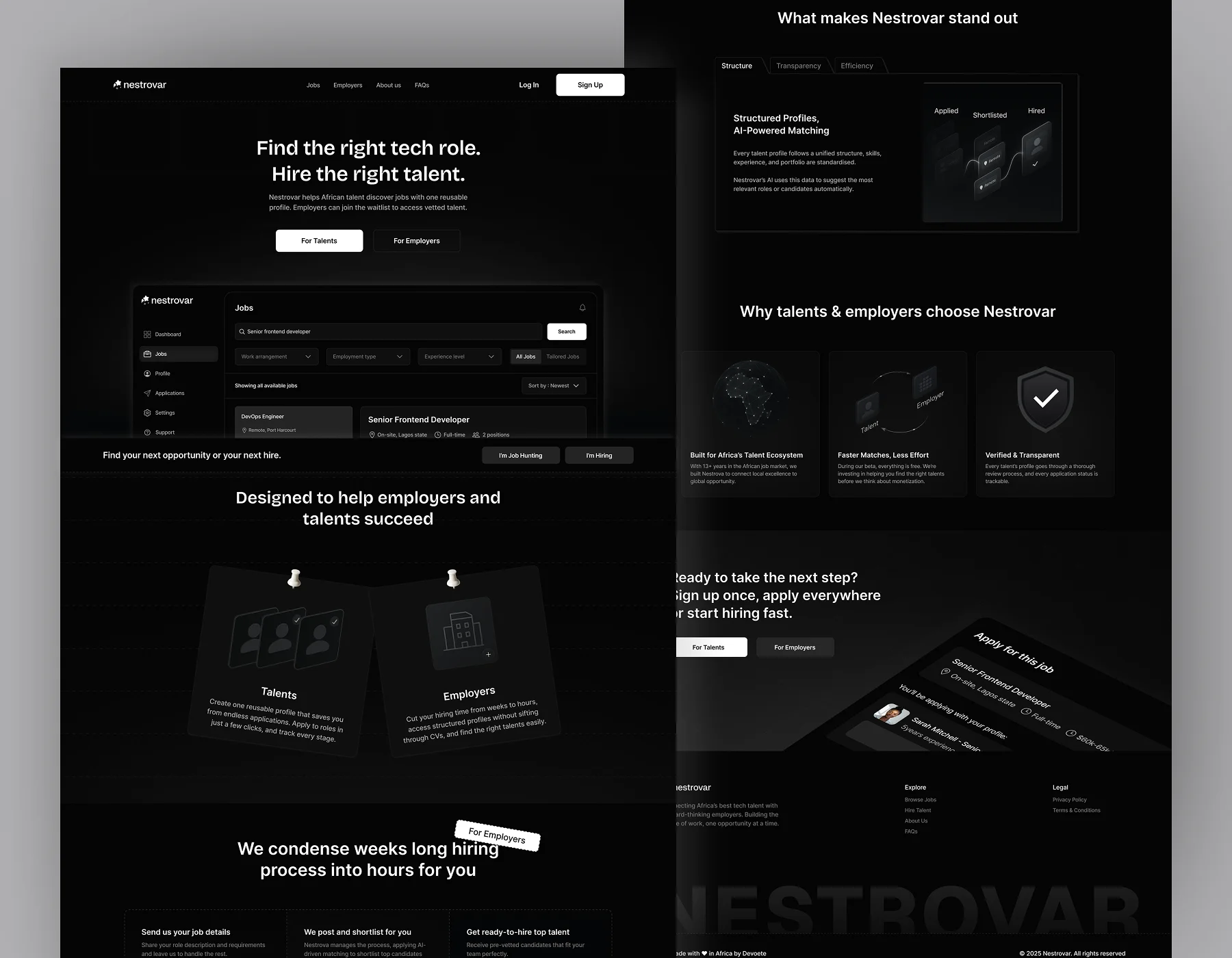
Nestrovar is a hiring platform that connects African tech talent with companies looking to hire them.
Before the product, a lot of the recruitment process at Deveote happened across Google Forms, spreadsheets, uploaded CVs and different communication channels. Candidate information was spread across places, reviewing applications required a lot of manual work, and every new role meant going through another large pool of people again.
Nestrovar was designed to bring that process into one system. I worked across the full product: the talent experience for discovering and applying for jobs, the admin portal used by the internal hiring team to manage recruitment, the marketing website, and the reports and candidate documents that eventually reach employers.
The Problem
Hiring was happening across too many places
The existing recruitment process relied on Google Forms, spreadsheets, CVs and separate communication channels. That made even straightforward actions more manual than they needed to be.
Candidate information could exist in one place, application answers somewhere else and conversations about the person somewhere else again.
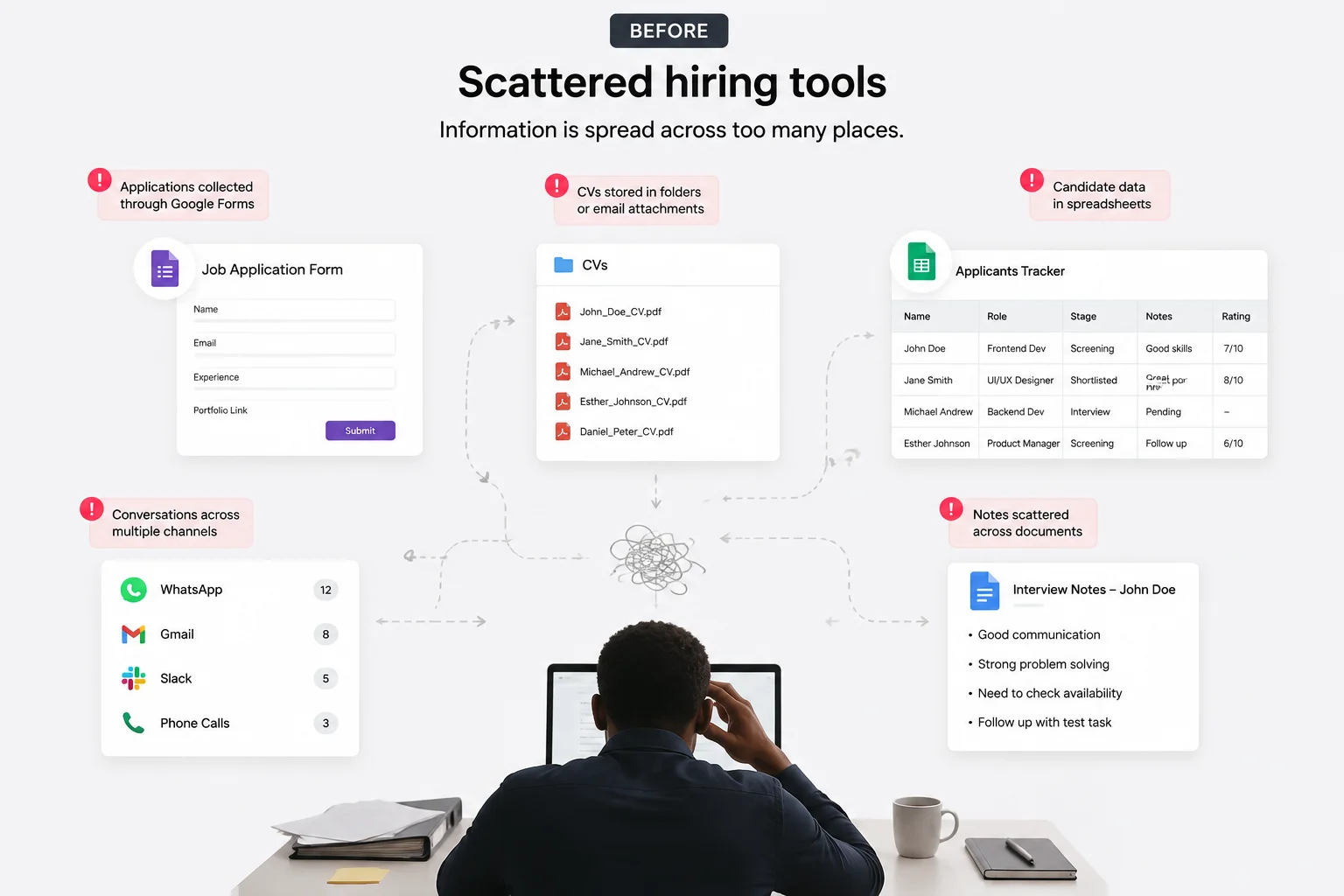
For the hiring team, this also meant repeatedly going through large amounts of information to decide whether someone matched what a role required.
For talent, there was another kind of repetition. Applying for another role often meant entering information they had already provided before. So the product needed more than a cleaner interface. It needed a better structure for how jobs, candidates, applications and hiring decisions related to each other.
Research
Understanding how other hiring products handled the same pieces
While working through the product, I looked at LinkedIn, OfferZen, Upwork, Contra, Superteam and VanHack. I wasn’t trying to combine everything those products did.
Nestrovar had a smaller, more focused hiring model, so the useful part was understanding where familiar patterns could make the product easier to understand and where they would simply add more complexity.
LinkedIn was particularly useful when I was thinking about browsing jobs. OfferZen helped when I was figuring out how a professional profile could feel like an actual profile rather than another settings form.
The other products also helped me understand how they separated things like applications, matched opportunities and candidate information.
Product Strategy
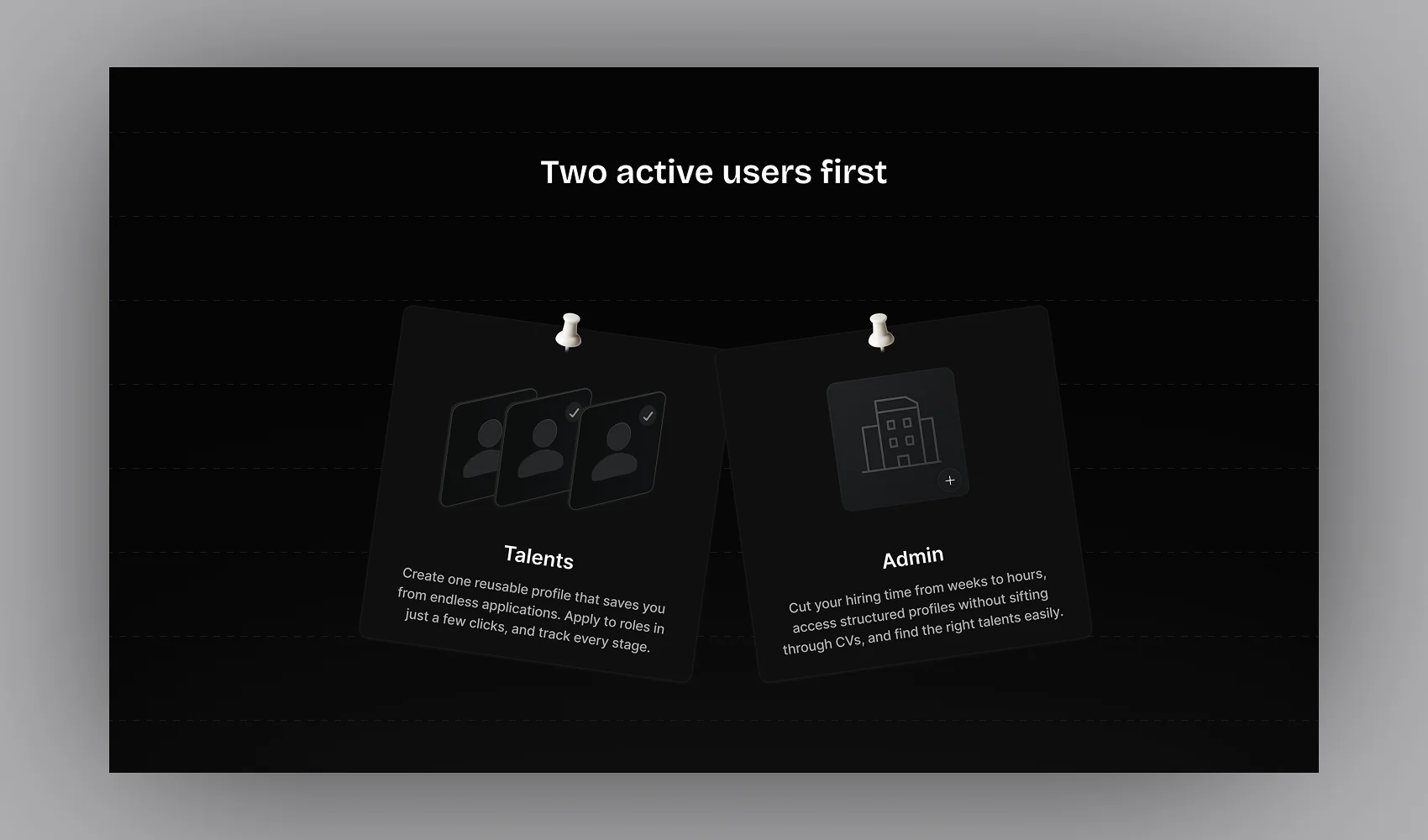
Two active users first
One important part of the MVP was that employers wouldn’t manage hiring through their own dashboard yet. An employer could come to Nestrovar with a hiring need, but the internal team would run the actual recruitment process on their behalf.
The team creates the role, manages applicants, reviews suggested candidates, generates the shortlist and coordinates the process until the employer needs to interview the strongest people.
So the first version focused on two active product users:
Talent, who create profiles, discover opportunities, apply and move through the hiring process.
And Admin, the internal hiring team actually operating that process.
The marketing website became the employer’s entry point into the service rather than an entry into an employer’s portal.
Talent Experience
Getting started without filling an entire professional history
There was a lot Nestrovar could eventually know about someone. Their skills, experience, education, projects, work preferences and other professional information all improve how useful the profile becomes. But I didn’t want signup to become the point where we asked for everything.
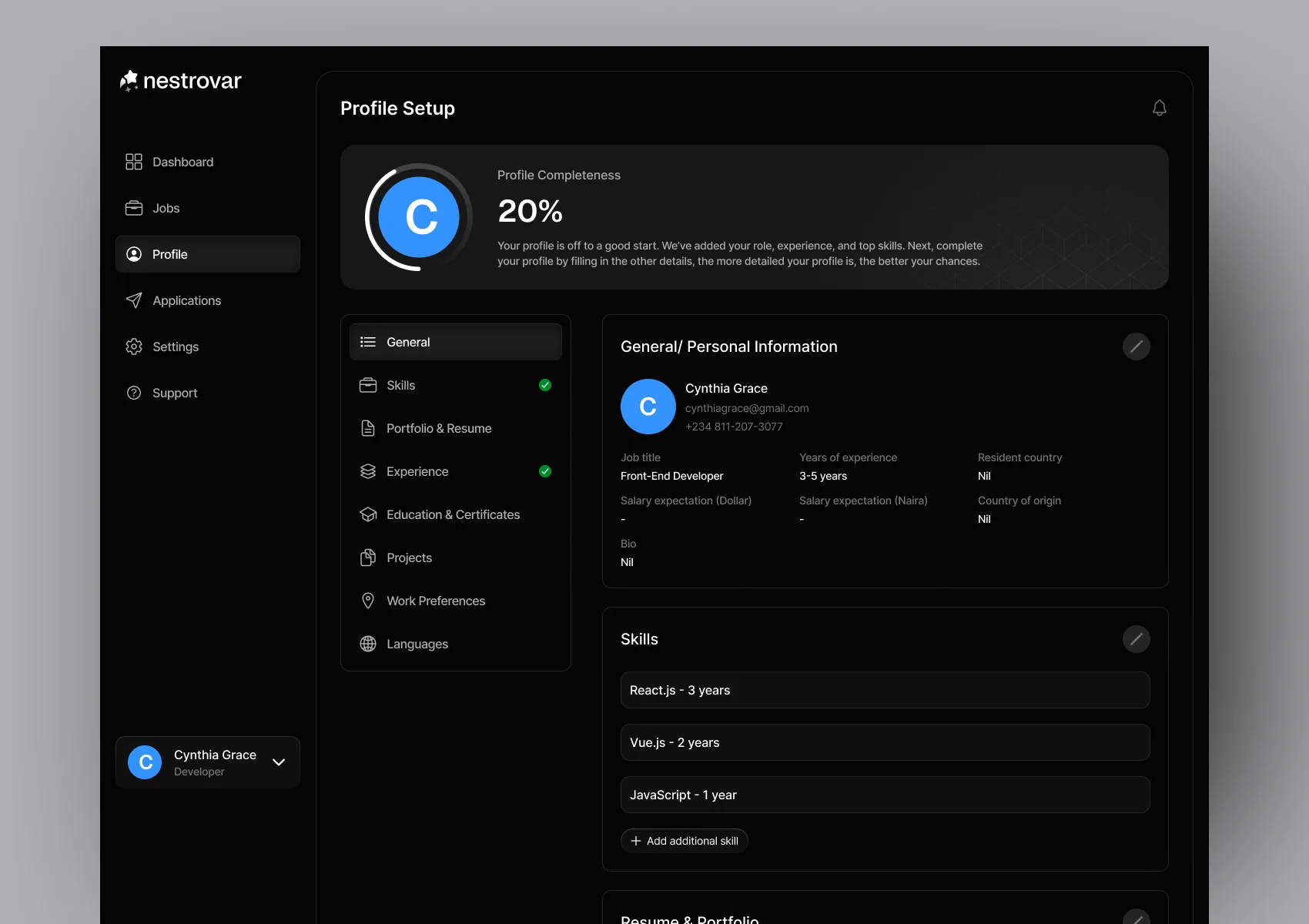
The initial onboarding only collects enough information to get the profile started. Talent can add their current professional role, years of experience and upload a CV that helps populate their information instead of entering everything manually. They also identify their three strongest professional skills and the number of years they have used each one.
Once inside the product, they can continue completing the profile over time. The profile completeness indicator makes that visible without preventing someone from entering the product simply because every section isn’t finished yet.
Making the profile feel like a professional profile
The candidate profile could easily have become one very long editable form. That wasn’t the experience I wanted. By default, talent sees their information as an actual professional profile. When they want to change something, they edit that particular section. This made it easier to scan the profile normally while still allowing information to be updated whenever necessary.
The profile itself contains things like skills, work preferences, work experience, education, certifications and projects. That structured information eventually becomes useful for much more than simply displaying the profile.
Finding jobs without overcomplicating the job board
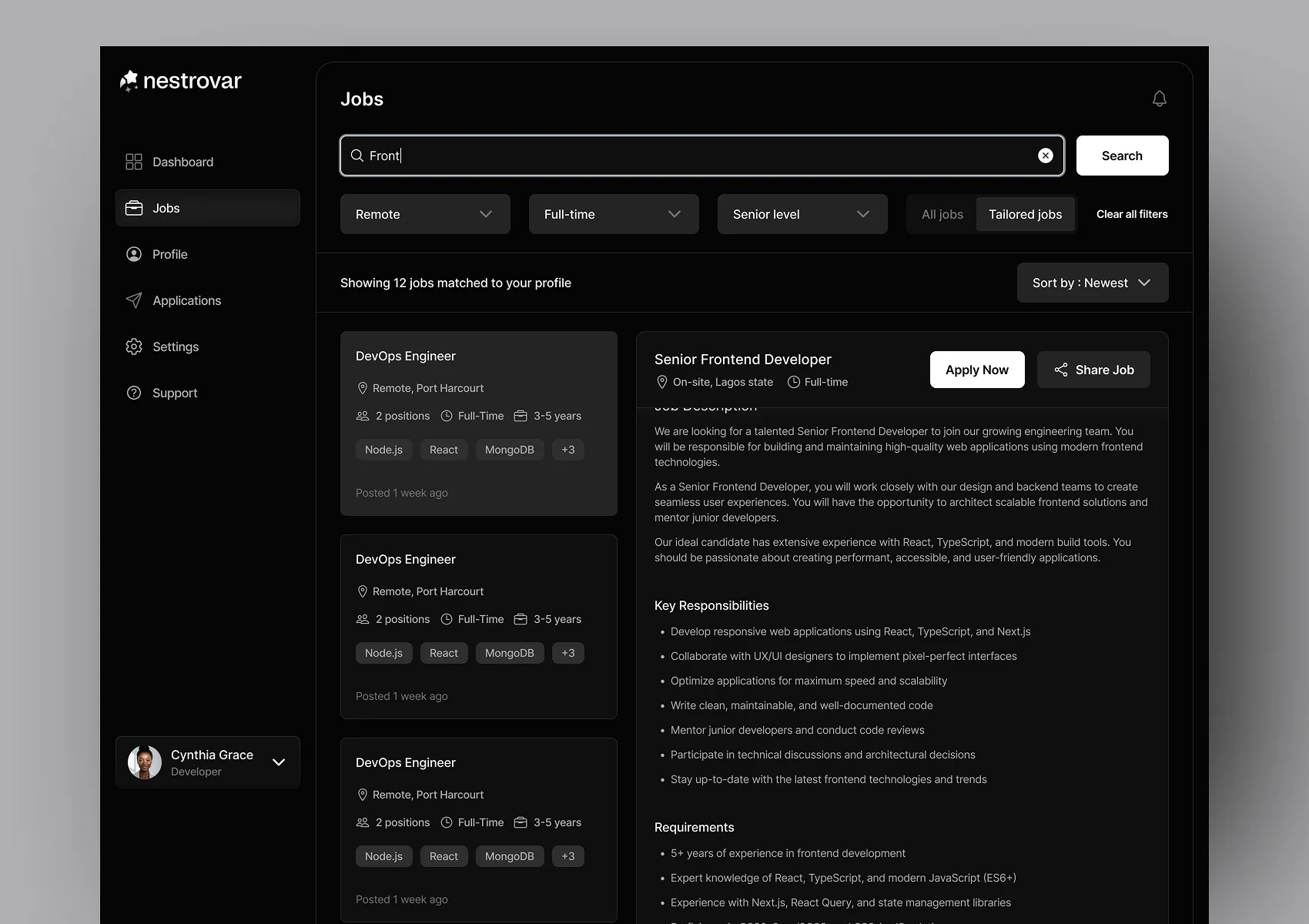
For job discovery, I explored different layouts before using a split-view approach. Available roles sit on one side while the details for the selected job remain visible on the other. This lets someone move between opportunities without repeatedly opening a separate page and returning to the list.
I also kept the filtering relatively focused. Nestrovar didn’t have the same scale as something like LinkedIn, so adding every possible filter would have created complexity before the product needed it.
Things like experience level, work arrangement, employment type and when the role was posted were enough to help narrow the available opportunities.
Sometimes Nestrovar finds the opportunity first
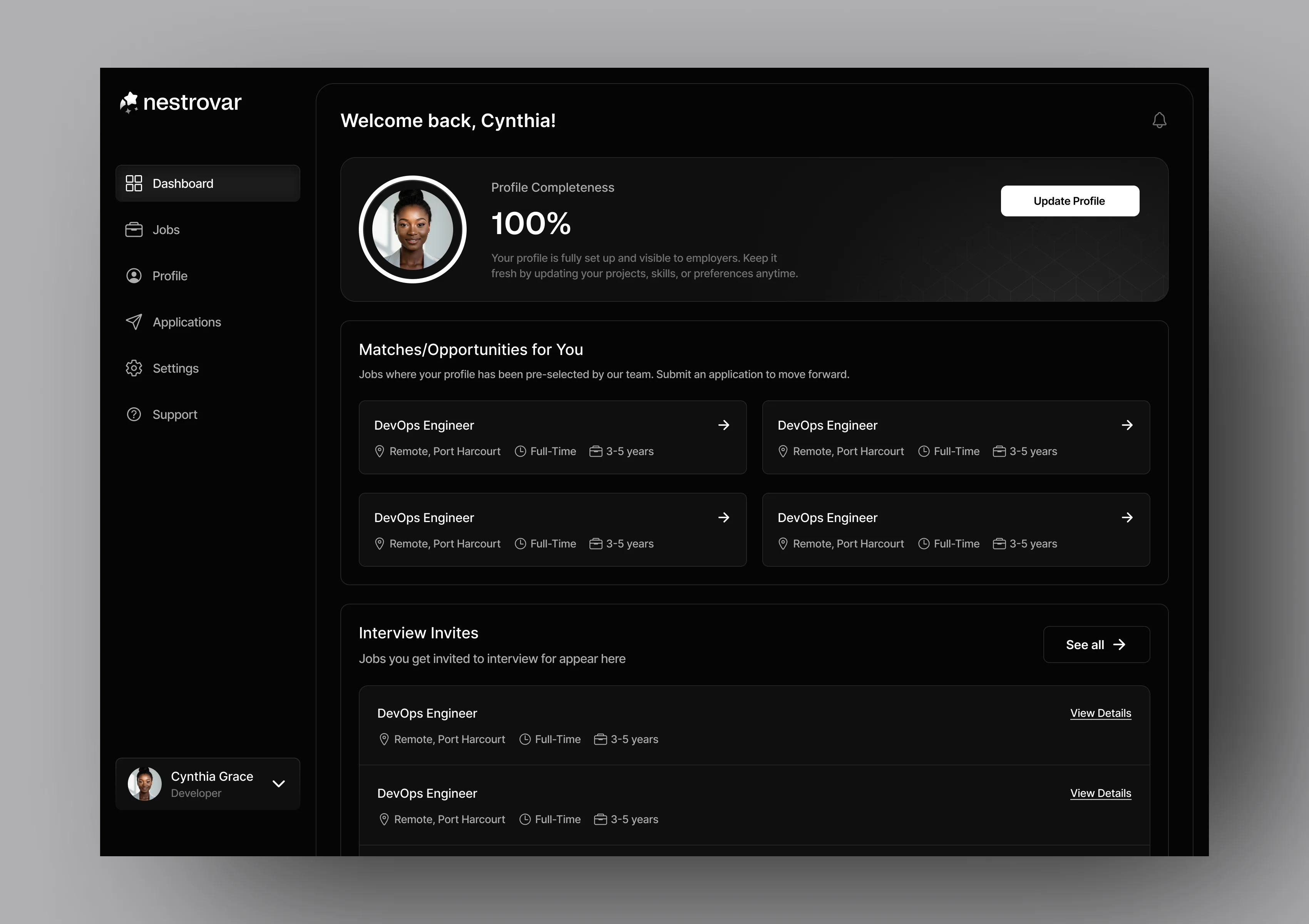
Job discovery doesn’t only happen when talent searches, because Nestrovar already has structured profiles, the platform can also identify people who may fit a new role. Those opportunities sit separately from Applications because the candidate hasn’t actually applied yet.
Nestrovar is simply saying:
Based on what we already know about you, this role may be worth looking at.
The candidate can still review the opportunity, decide whether they’re interested and answer any role-specific questions before submitting an application. This kept matching useful without treating an AI recommendation as the candidate’s decision.
The profile became the application
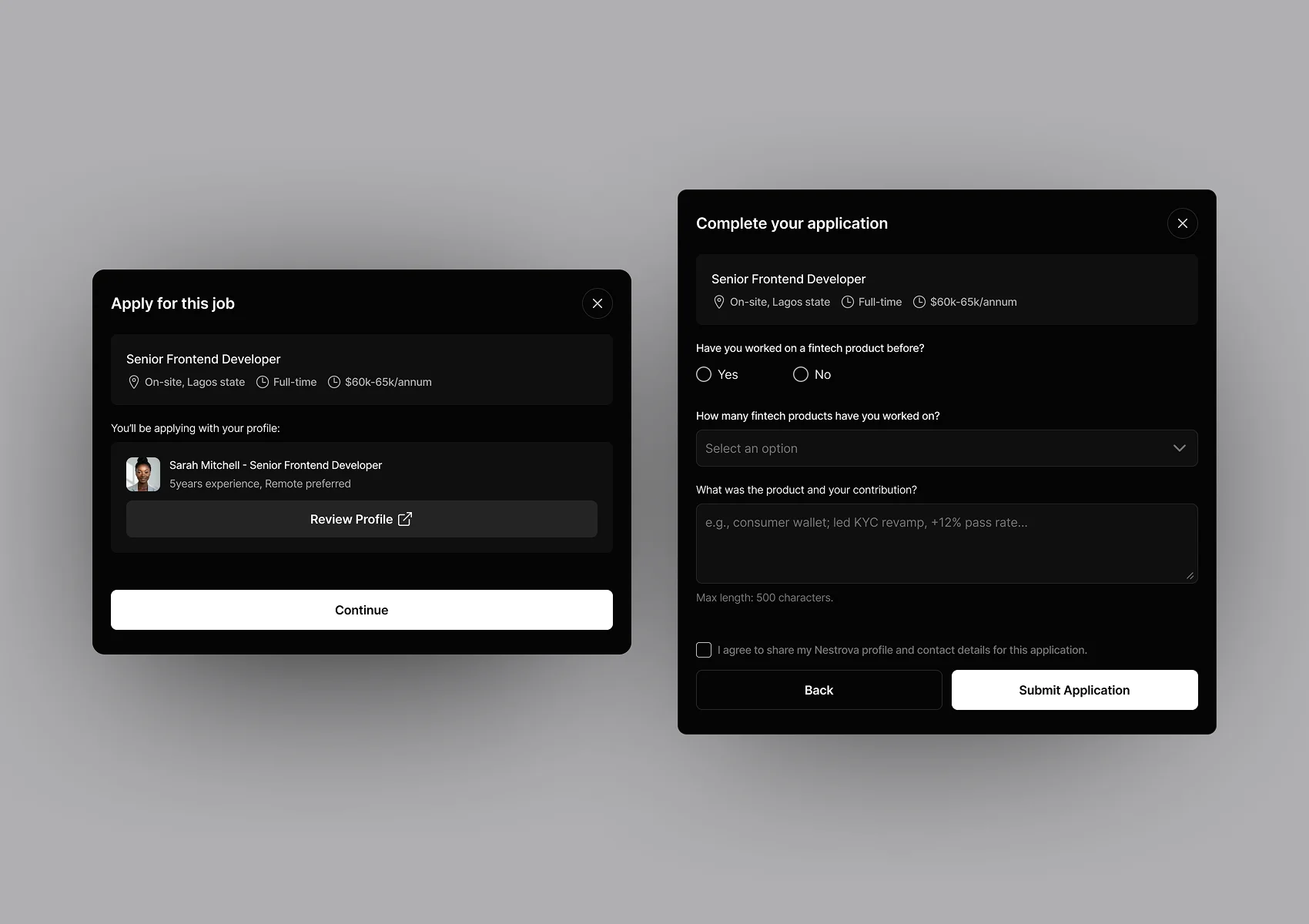
This became one of the decisions that shaped most of the talent experience. Once someone has already created a structured Nestrovar profile, asking them to upload another CV and enter the same experience again for every new job didn’t make much sense.
Nestrovar already knows those things. So when someone applies, their existing profile becomes the basis of the application. They can review it first if something has changed, then answer any questions that are specific to that particular role.
For example, someone’s profile might already tell us that they’re a backend engineer with five years of experience. But a new role might specifically ask whether they have built an AI-powered product before. That information can be collected as a custom question without rebuilding the entire application around information we already have.
This also affected the admin side, because job creation needed to allow the hiring team to add those role-specific questions when they were actually useful.
Knowing what happened after applying
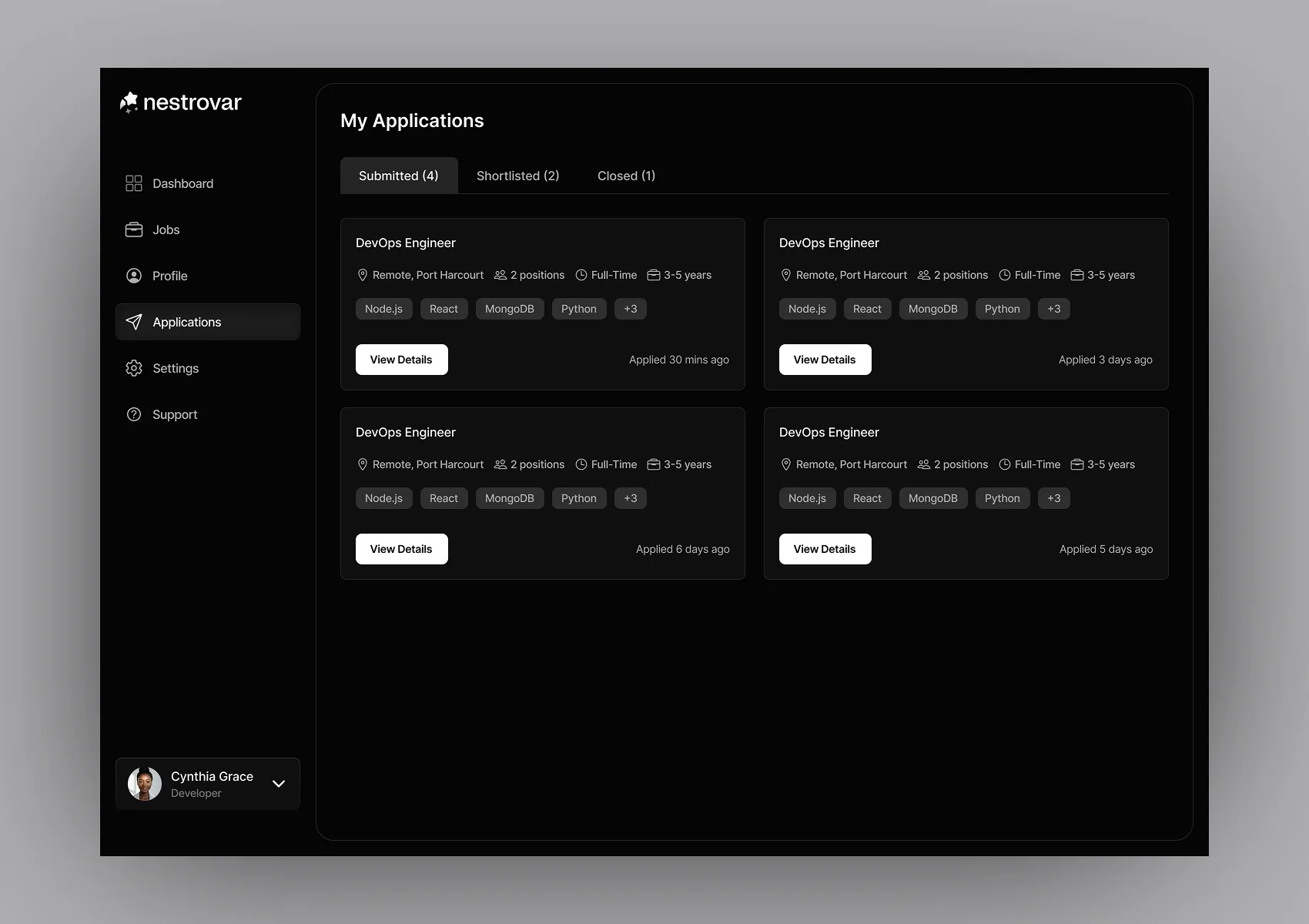
I also wanted talent to be able to see what was happening with their applications instead of sending something off and then having no idea where it went. The application area is organised around a small number of clear states rather than a long list of internal recruitment statuses.
Talent can see applications that are still submitted, opportunities where they have been shortlisted, and roles where the process has already closed.
- Submitted
- Shortlisted
- Closed
That gives them enough information to understand where they stand without exposing every internal admin action behind the scenes.
Hiring Operations
Designing around the hiring journey
I better understood the product once I stopped thinking about it as a collection of pages. There was some dynamics e.g A job gets created. Someone might apply to it directly, while another person might already exist in Nestrovar’s talent pool and be suggested as a match.
The team with the help of AI and also manually reviews those people, moves some forward, invites them to interview and records what happened there. So the basic system became:
- Job
- Applicants & Suggested Matches
- Review
- Interview
- Hire
That flow became the foundation for how the admin side was organised.
The admin side was the most complicated part of Nestrovar for me. An admin could be managing several jobs at the same time, including similar roles for different clients. So clicking into a job couldn’t simply open the job description again. It needed to open the actual hiring workspace for that role.
Inside it, the admin can move between:
- Overview
- Suggested Matches
- Applicants
- Shortlisted for Review
- Shortlisted for Interview
There was a lot of back and forth around those stages and the terminology used for them. “Shortlisted” by itself wasn’t enough. Someone could be worth another review without being ready for an interview, and changes in the product scope also meant the later stages needed to reflect what Nestrovar actually handled.
Separating Shortlisted for Review from Shortlisted for Interview made that progression clearer. Once a candidate reaches the interview stage, the admin can invite them individually or in bulk, access the interview information and eventually mark the successful person as hired.
Applicants were only one source of talent
A candidate doesn’t stop being useful just because the role they applied for has closed. Nestrovar keeps structured talent profiles, which means a new job can draw from two places.
There are people who actively applied for that role. And there are existing people in the talent pool that Nestrovar thinks may fit it.
Those become Suggested Matches. This makes the database more useful over time because every hiring cycle adds more professional information that can potentially be relevant to another role later.
Admins can also access the wider talent pool outside a particular job, with the option to view talent in a table or grid.
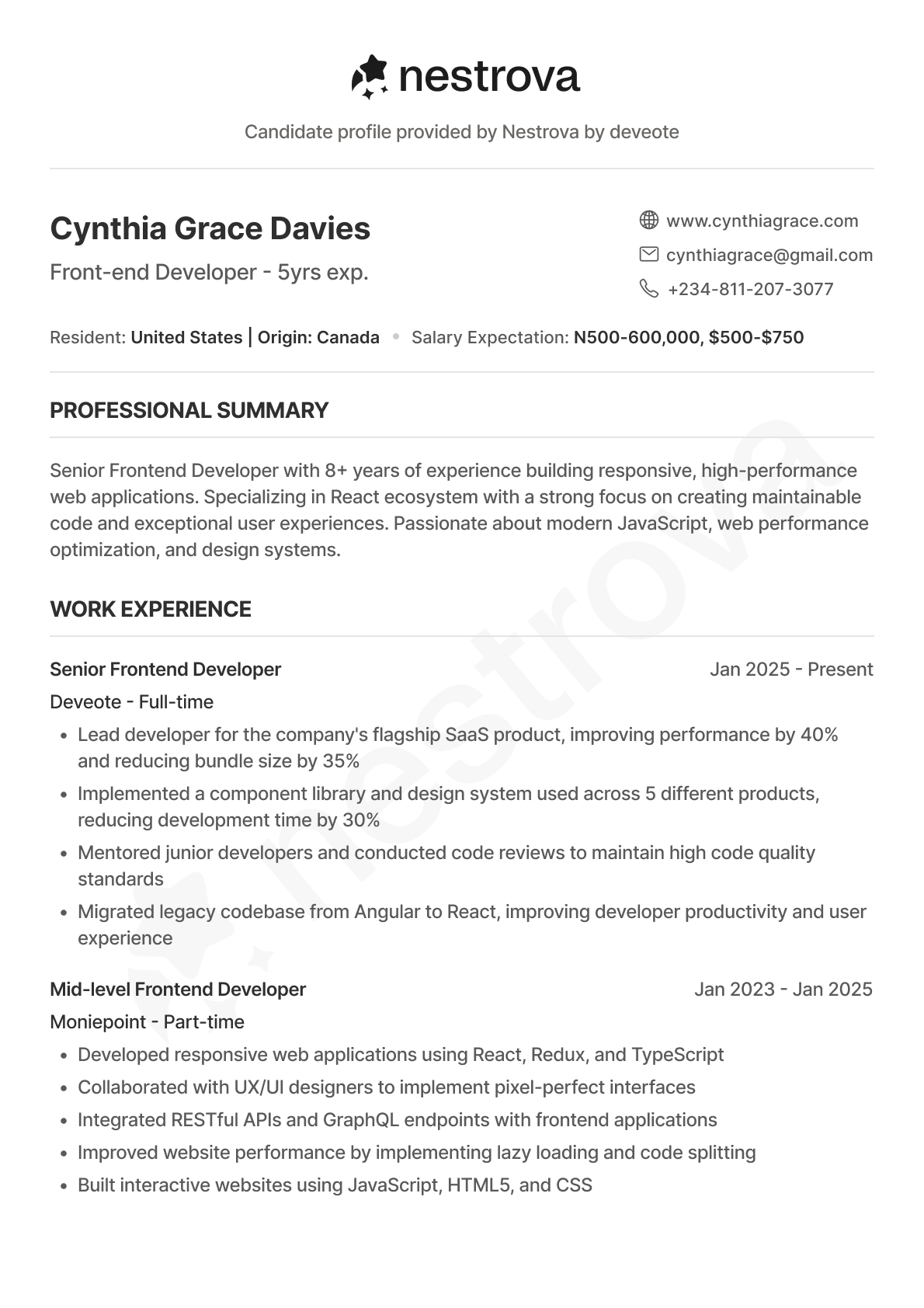
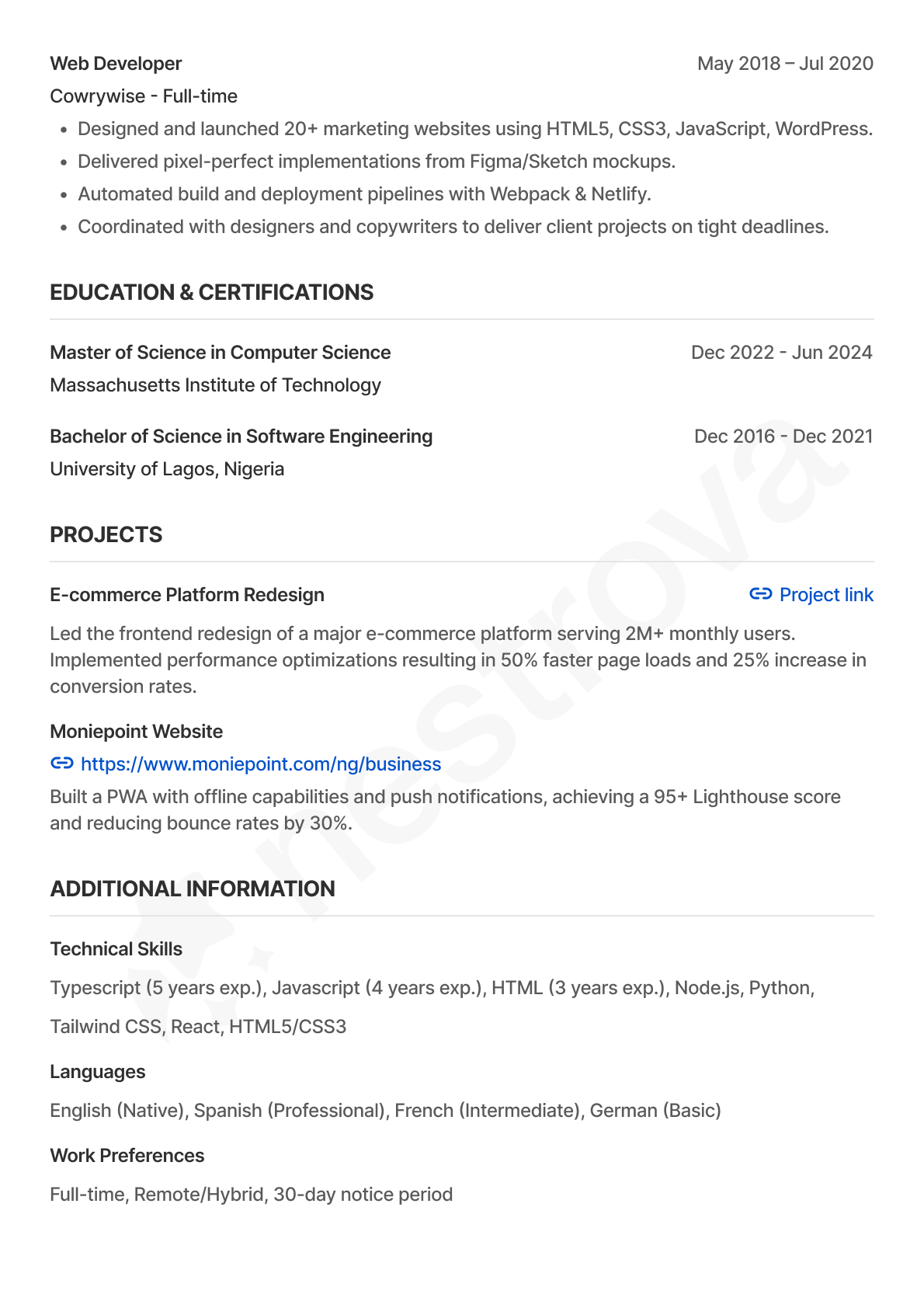
Opening a talent gives them the full picture in one place: their profile summary, work experience, education and projects, activity across previous applications, and interview feedback. They can also access both the candidate’s uploaded CV and the Nestrovar-generated CV from here.
This meant an admin could understand someone beyond a single application and easily return to their information when they appeared in another hiring process.
A score wasn’t enough
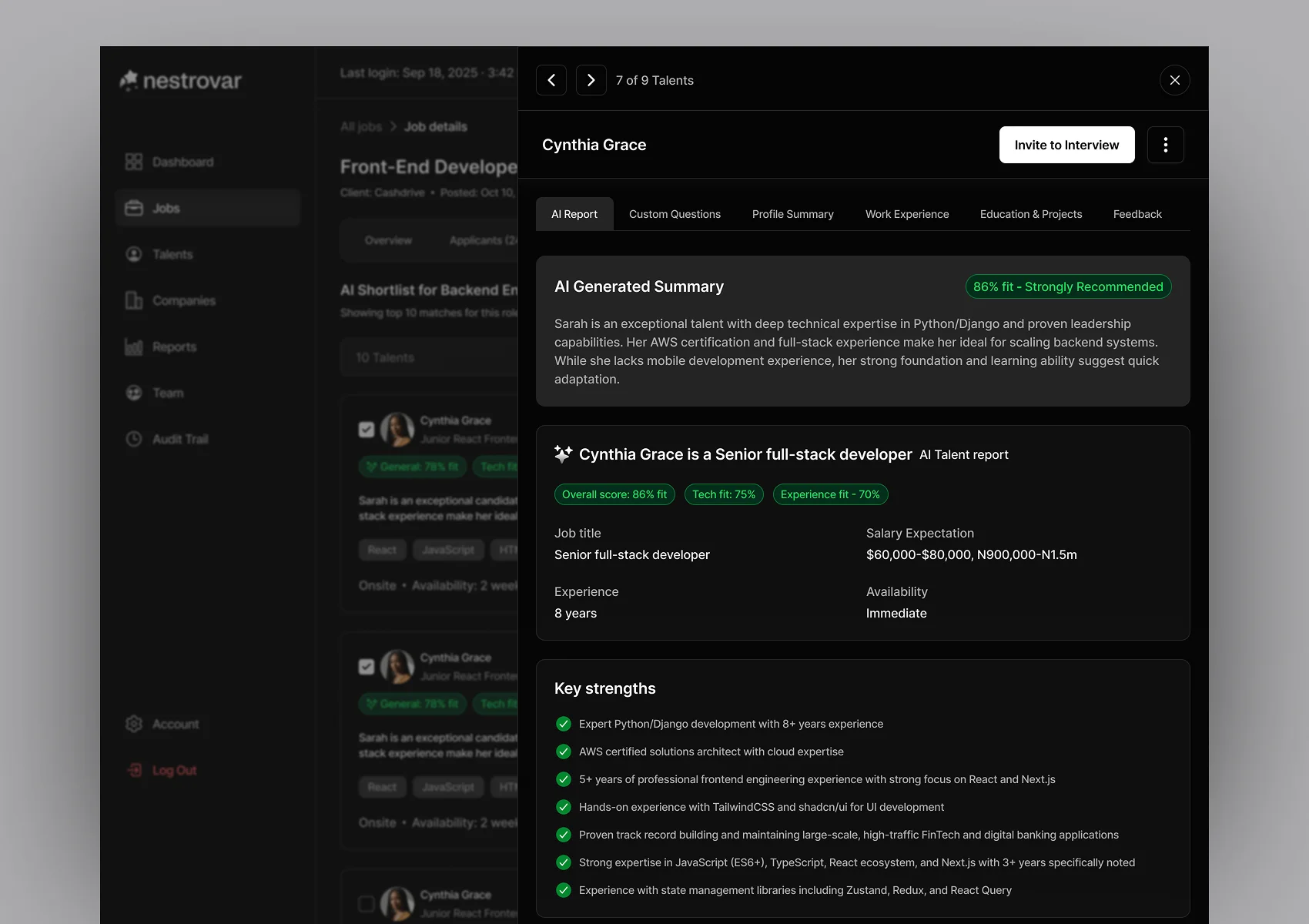
Nestrovar uses AI to help the hiring team evaluate candidates. But something like:
60% fit
isn’t enough information to make a hiring decision. So the assessment gives the admin more context around the score. They can see an overall fit score, technical score and experience fit, followed by an AI-generated summary, key strengths, areas of concern and suggested areas to focus on during the interview.
The important part is that none of this replaces the actual candidate information. If the admin wants more context, they can still open the full candidate record. The AI summary gives them a faster way into a large amount of information, while the underlying evidence stays available when they need to go deeper.
Moving candidates into interview
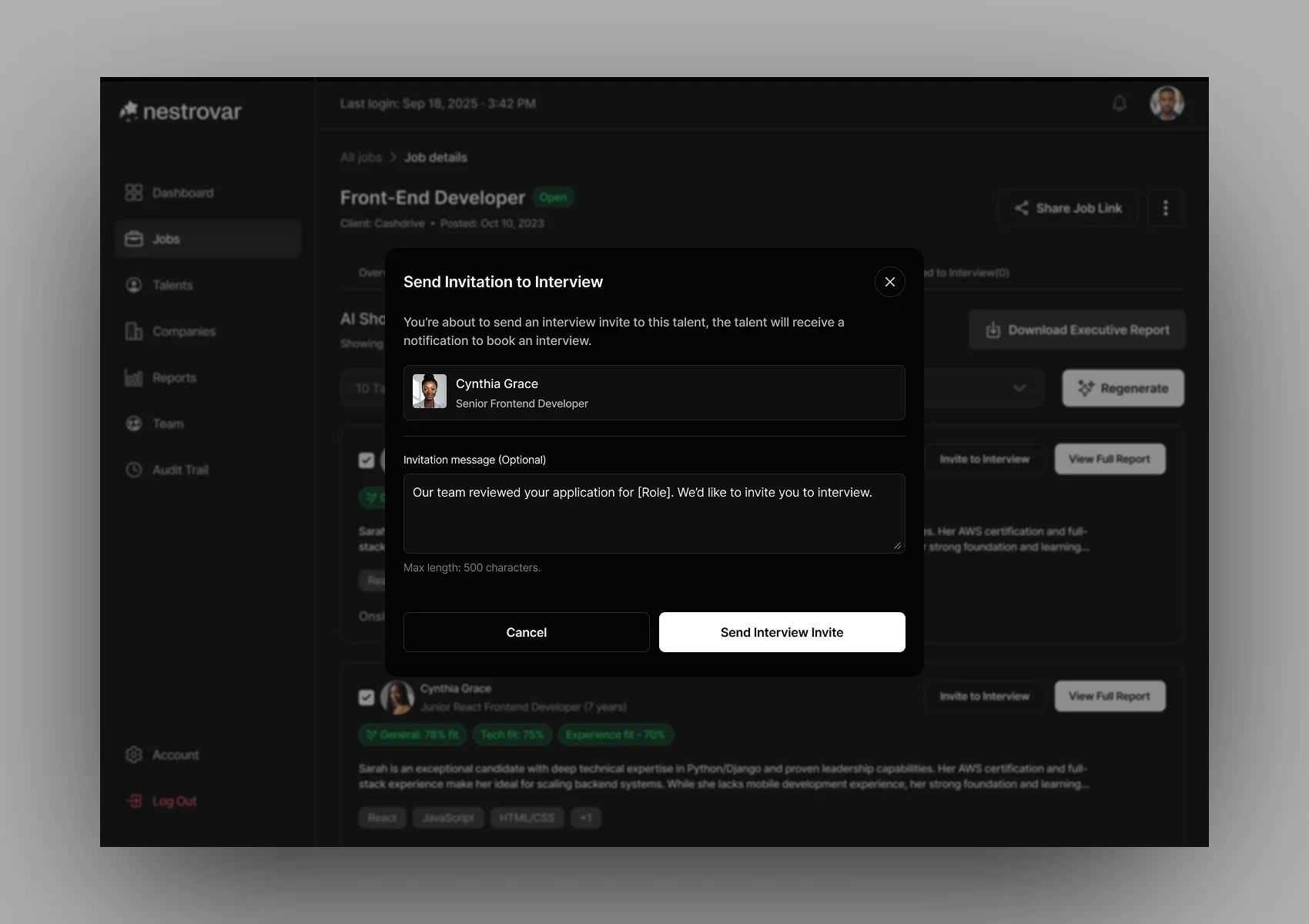
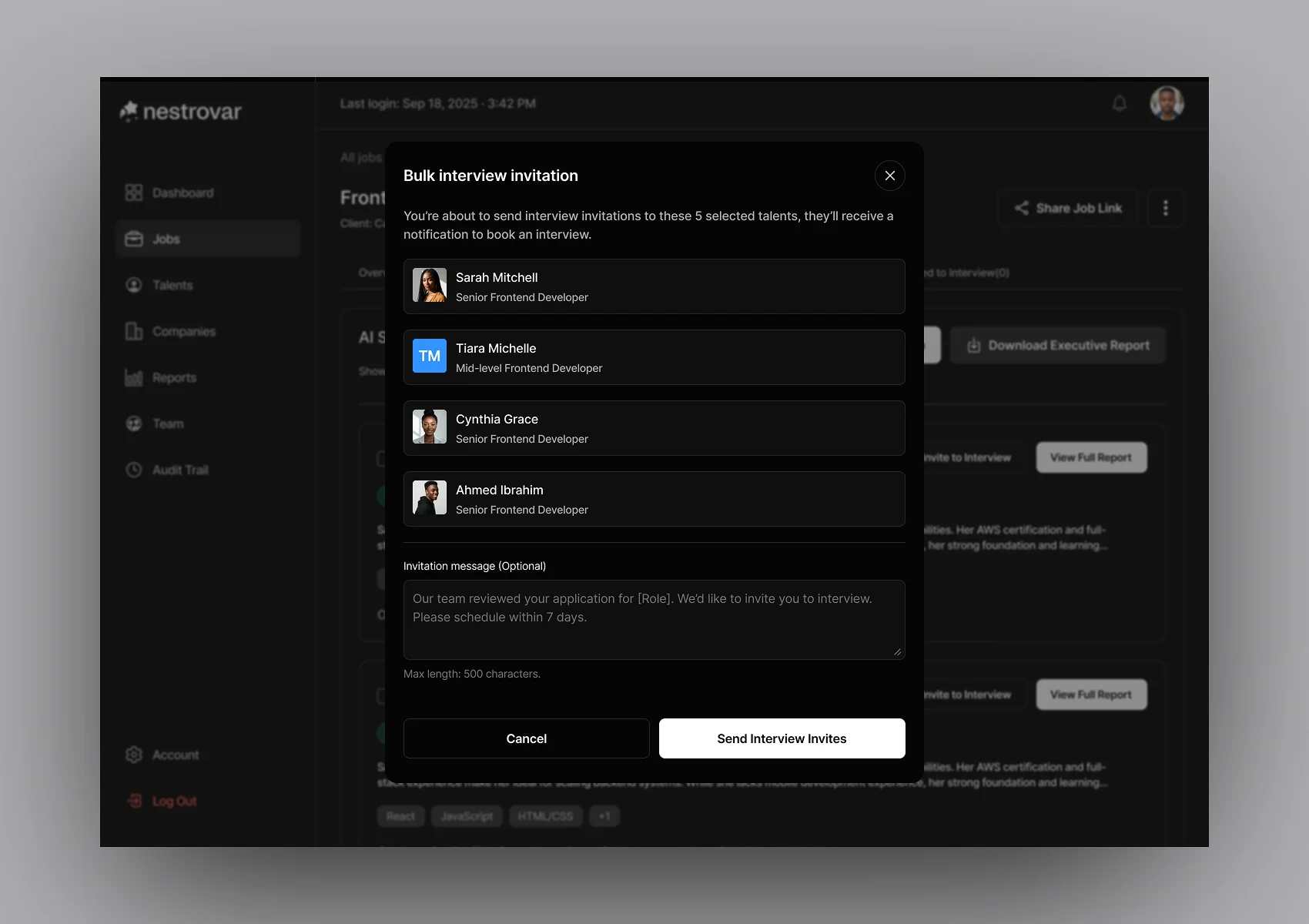
Once someone is ready to move forward, the admin can invite them without leaving the context of the job. There are cases where one candidate needs to move forward and cases where several are ready at once, so I designed both individual and bulk interview invitations.
Nestrovar uses the scheduling link associated with the interview rather than trying to build its own calendar infrastructure for the first version.
On the talent side, the person receives the invitation and can continue to the external scheduling page. The handoff is external, but the stage still remains understandable inside Nestrovar.
The interview shouldn’t disappear once it happened
There could be several admins reviewing the same candidate, and the person returning to the profile later may not be the one who conducted the interview.
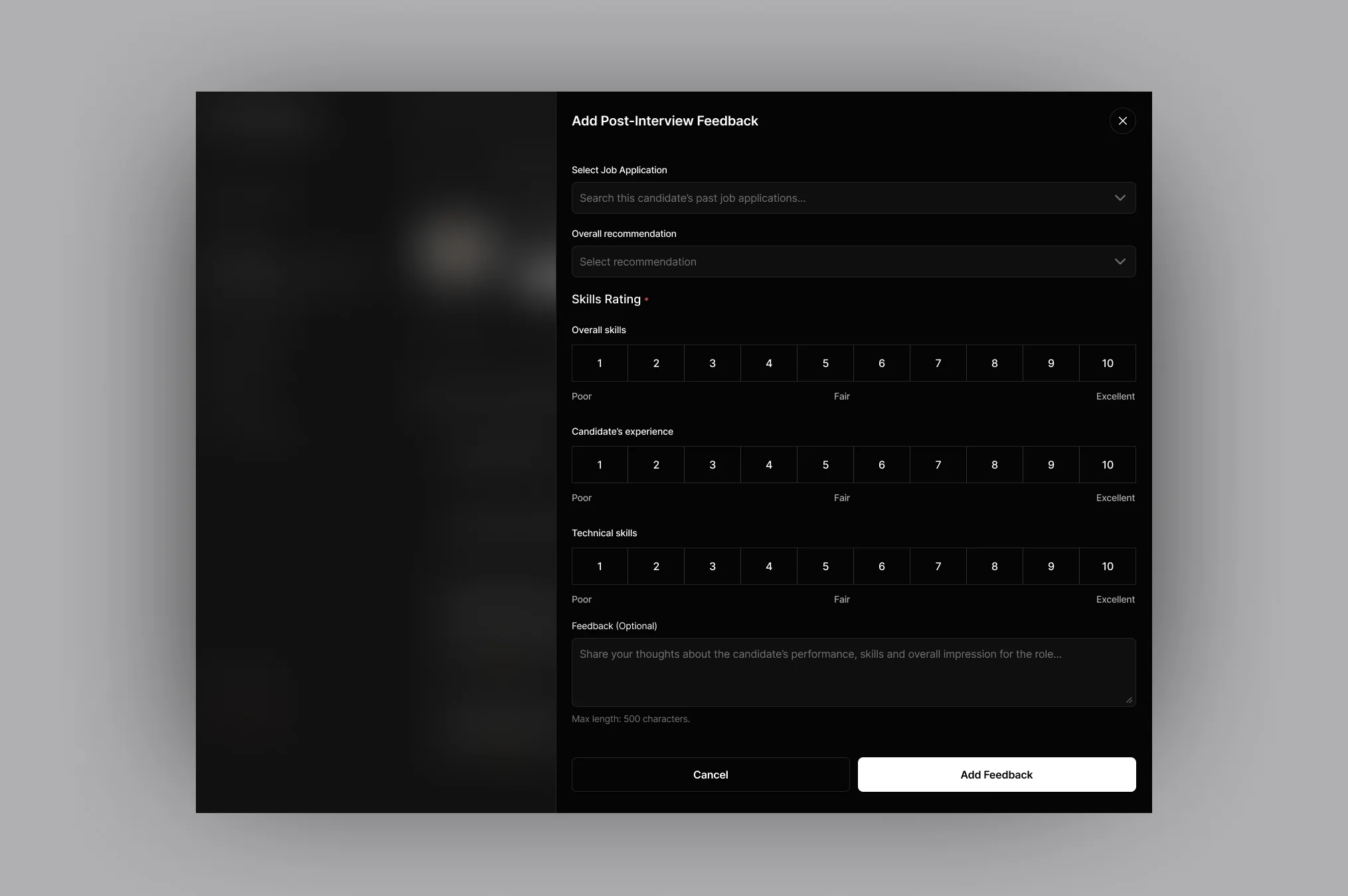
So post-interview feedback needed more structure than a general notes field. The interviewer can record an overall recommendation, rate relevant skill areas and leave more detailed feedback. That stays connected to the candidate’s record.
So the next person making a decision can understand what happened without needing to ask the interviewer to explain everything again.
AI & Reporting
Generating the shortlist was still an admin decision
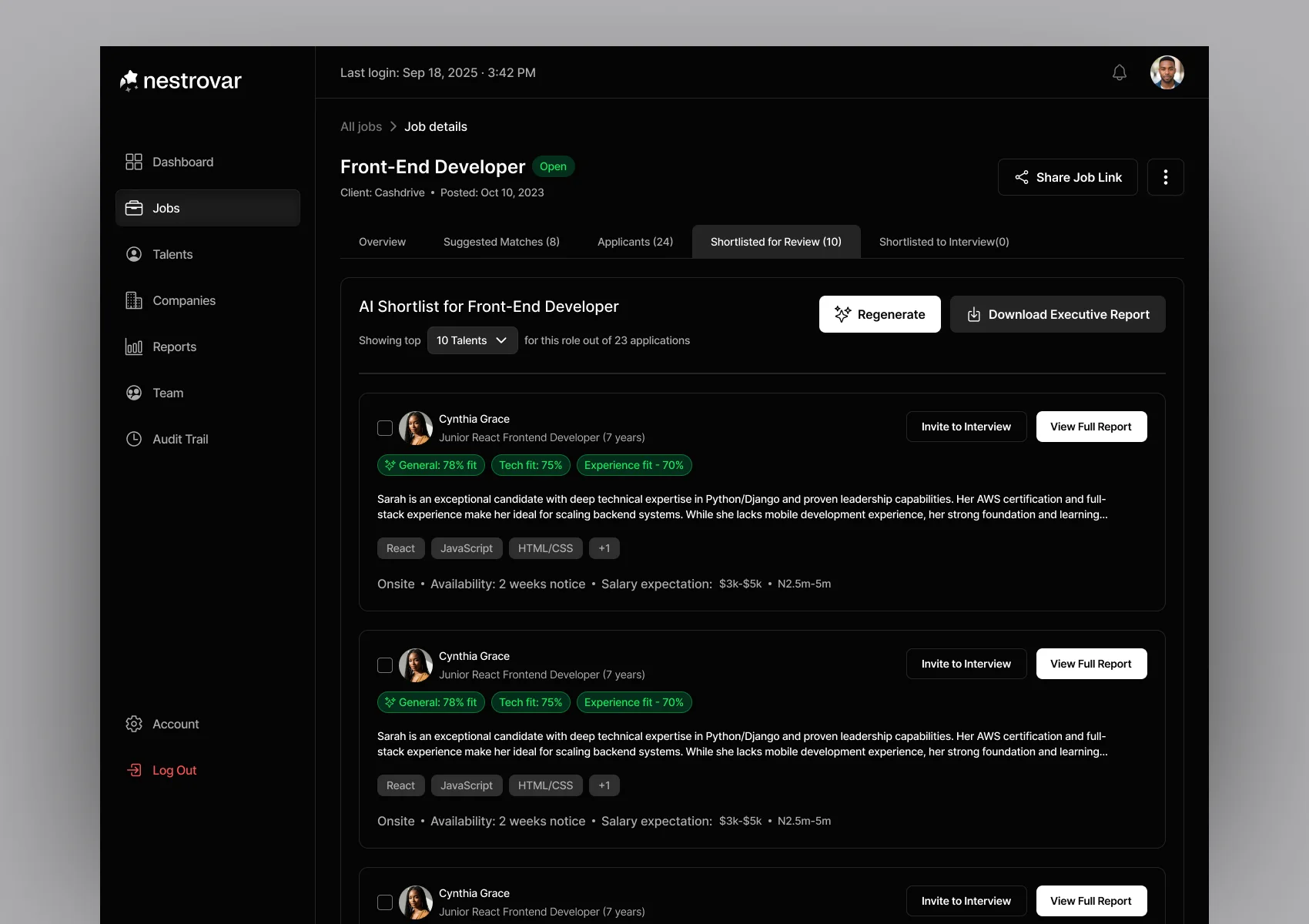
Once the team had enough candidates to evaluate, the admin could generate a shortlist for the role. They could control how many people they wanted Nestrovar to return, for example a top five or top ten, and regenerate the shortlist when necessary.
The output wasn’t simply a list of names. The assessment information used while reviewing individual candidates now helps the team compare the shortlisted group and understand why one person may rank more strongly than another. The admin can still open the full candidate record before deciding what happens next.
Turning an internal shortlist into something an employer can review
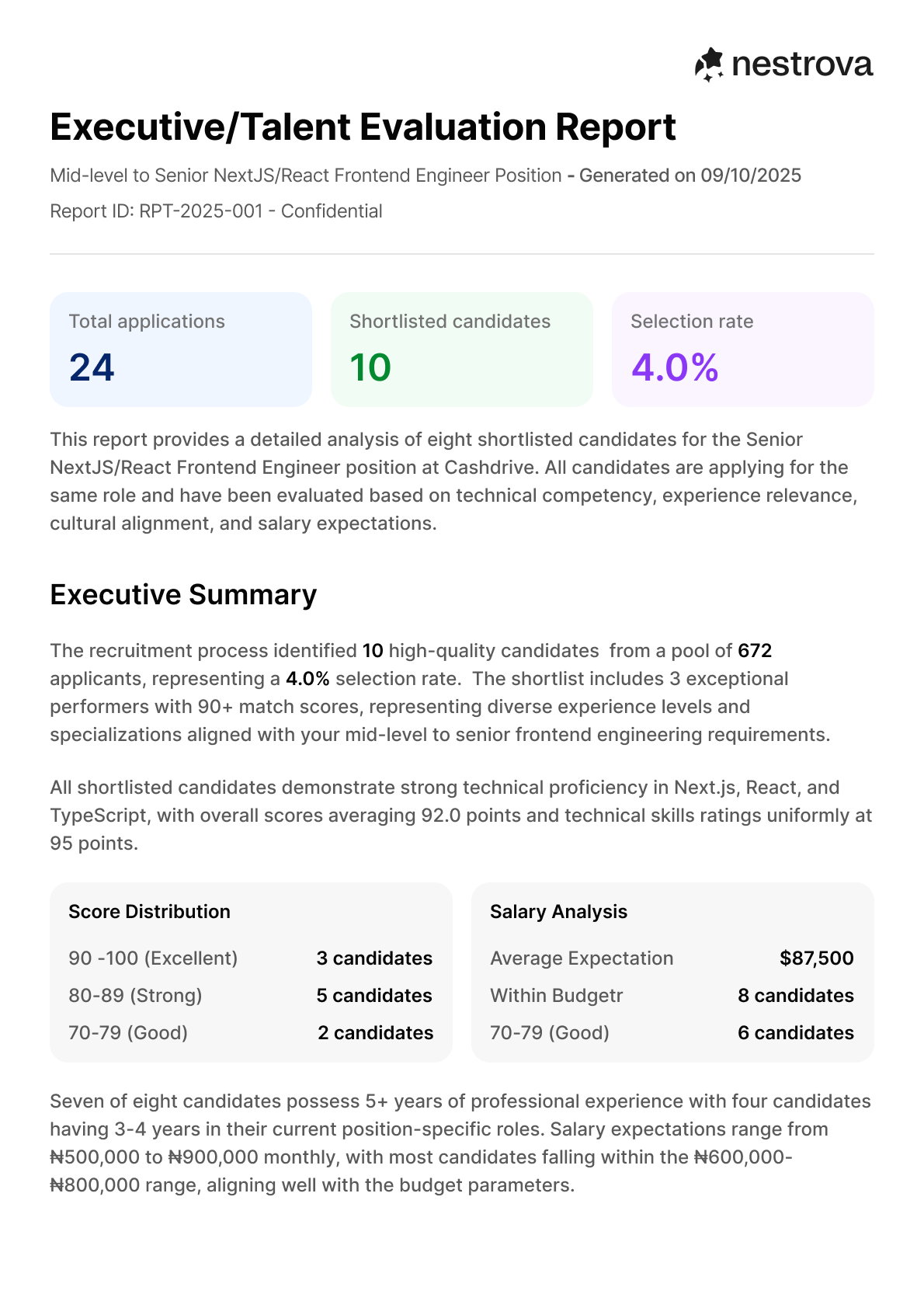
The employer isn’t inside the admin portal watching the team go through all of this. Eventually, the internal work needs to become something that can be sent to them. I designed the executive shortlist report for that point in the process.
Instead of simply sending a collection of names or CVs, the report can show the recommended candidates and the reasoning behind those recommendations. That includes useful comparison information such as overall fit, strengths, areas of concern and other evaluation context.
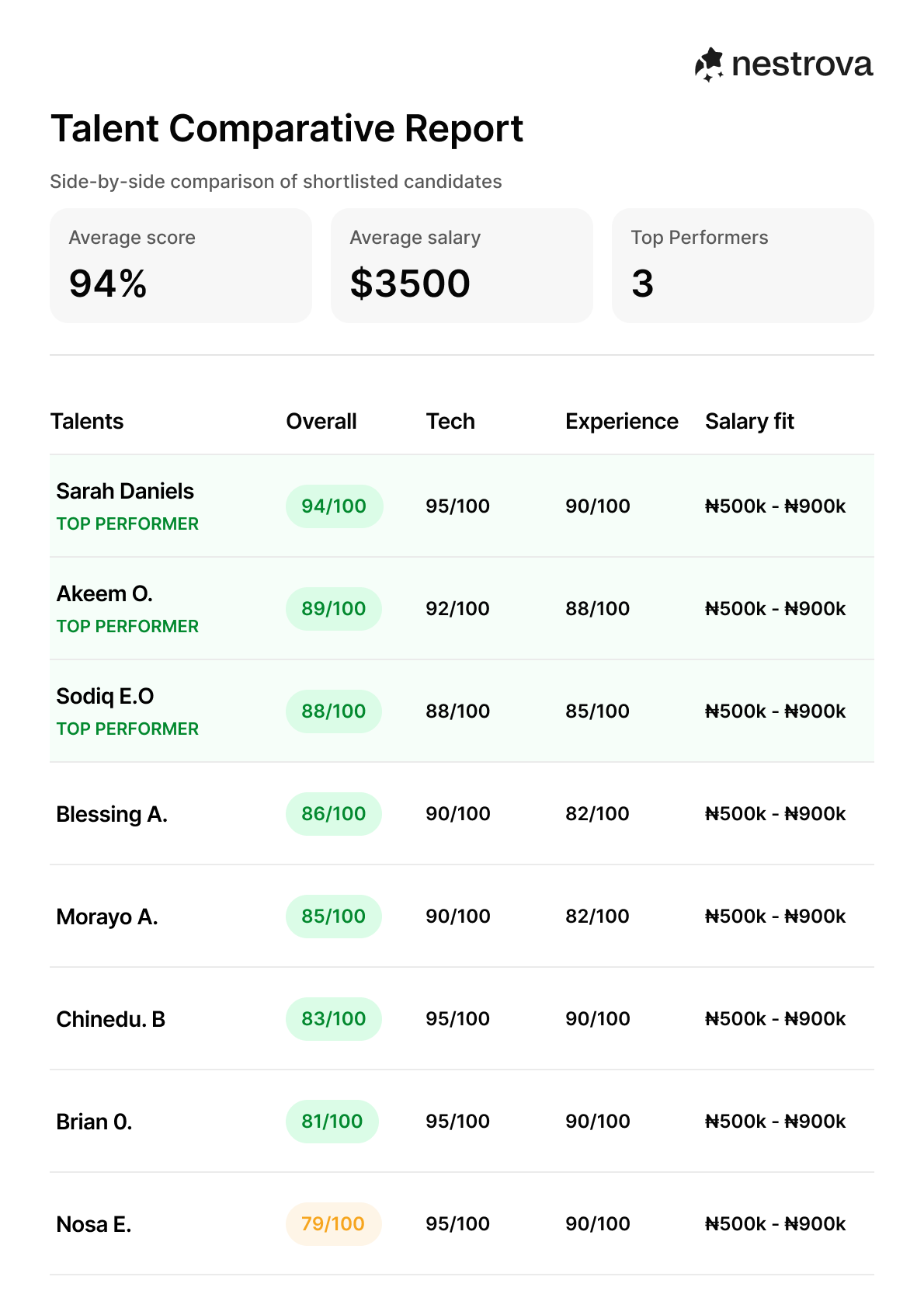
I also designed a comparative report so the employer can understand the recommended candidates alongside one another rather than opening several unrelated files and trying to make that comparison themselves.
Turning the profile into a consistent Nestrovar CV
Candidates can still upload their original CV, and admins can access it whenever necessary. But because Nestrovar already has structured professional information, the platform can also generate a consistent Nestrovar CV from that profile.
I designed that document as part of the employer-facing output. The hiring team can send candidates to a client using a consistent structure rather than five completely different CV formats, while still keeping the original uploaded CV available internally.
It was one of the places where the talent profile, admin product and employer experience all connected.
Seeing recruitment at two different levels
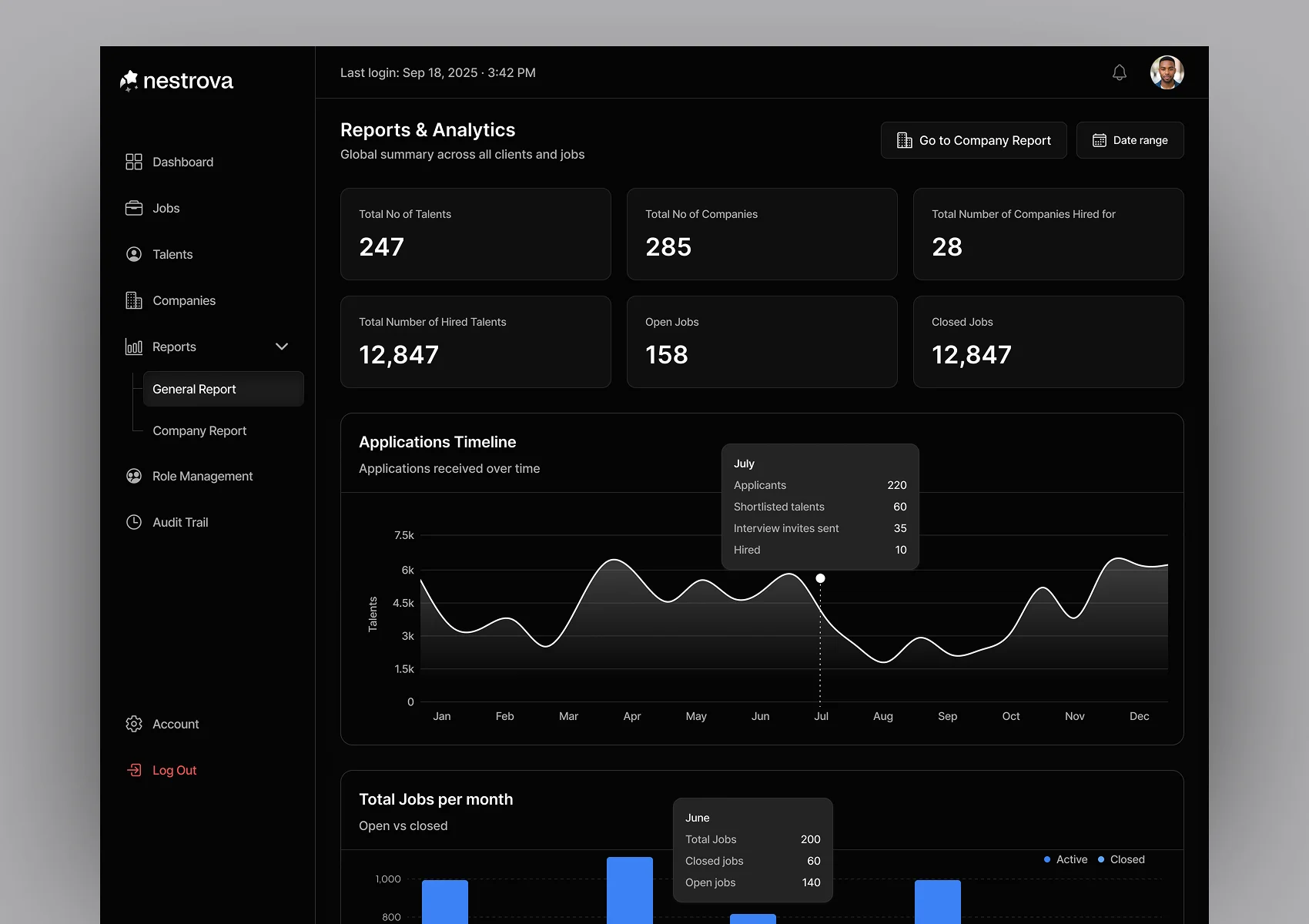
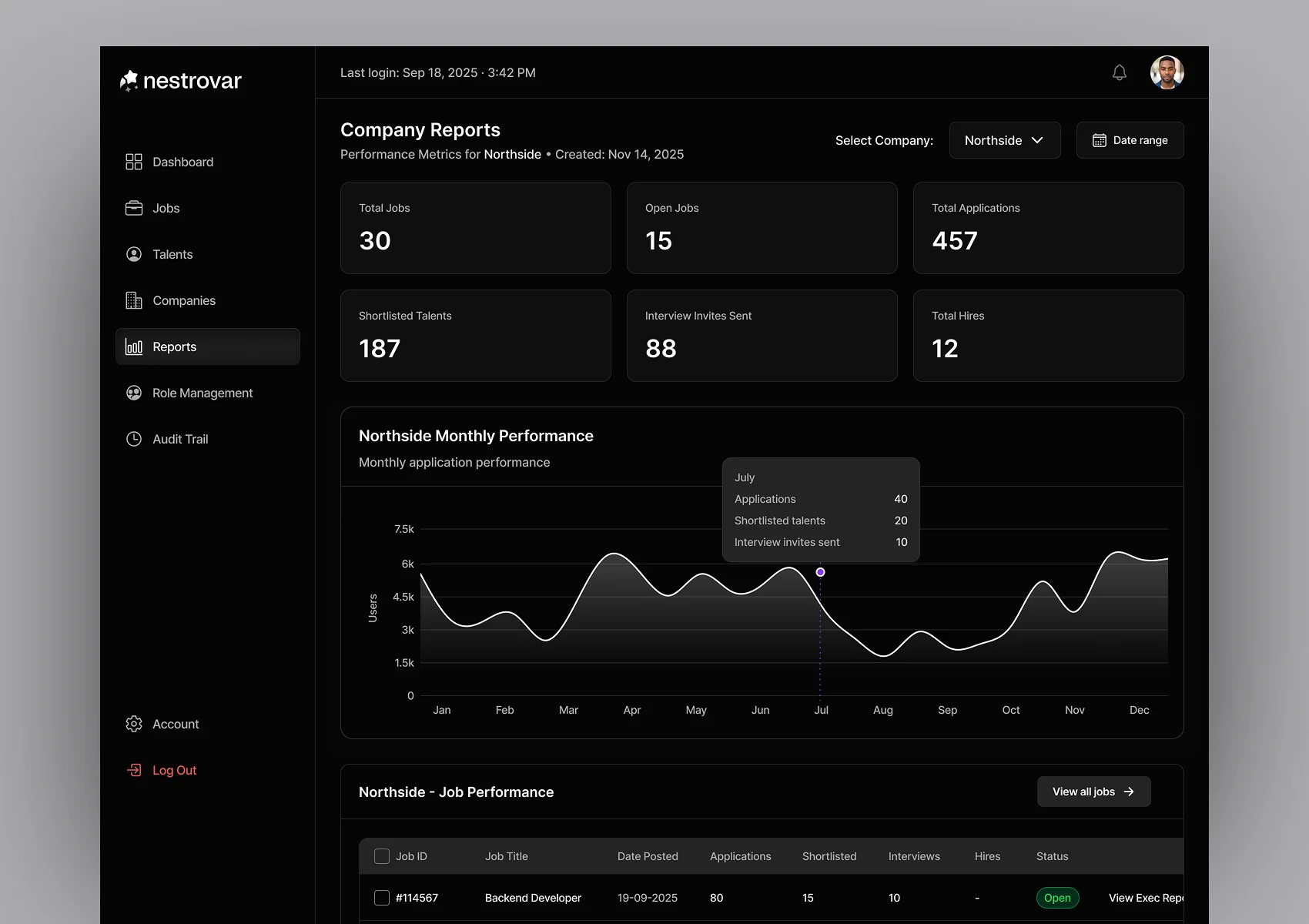
Managing individual candidates is one part of the job. The team also needs to understand how hiring is performing across the wider operation. So the Reports area works at two levels.
Admins can see general recruitment analytics across Nestrovar, giving them a broader view of what is happening across active hiring.
They can also move into company-specific reports to understand recruitment for an individual client and the jobs being managed for them.
That distinction mattered because the same internal team could be handling several companies at once.
A useful report therefore couldn’t stop at:
How is Nestrovar doing?
It also needed to answer:
How is hiring going for this particular client?
Employer Entry
Giving employers a clear entry point without building a portal
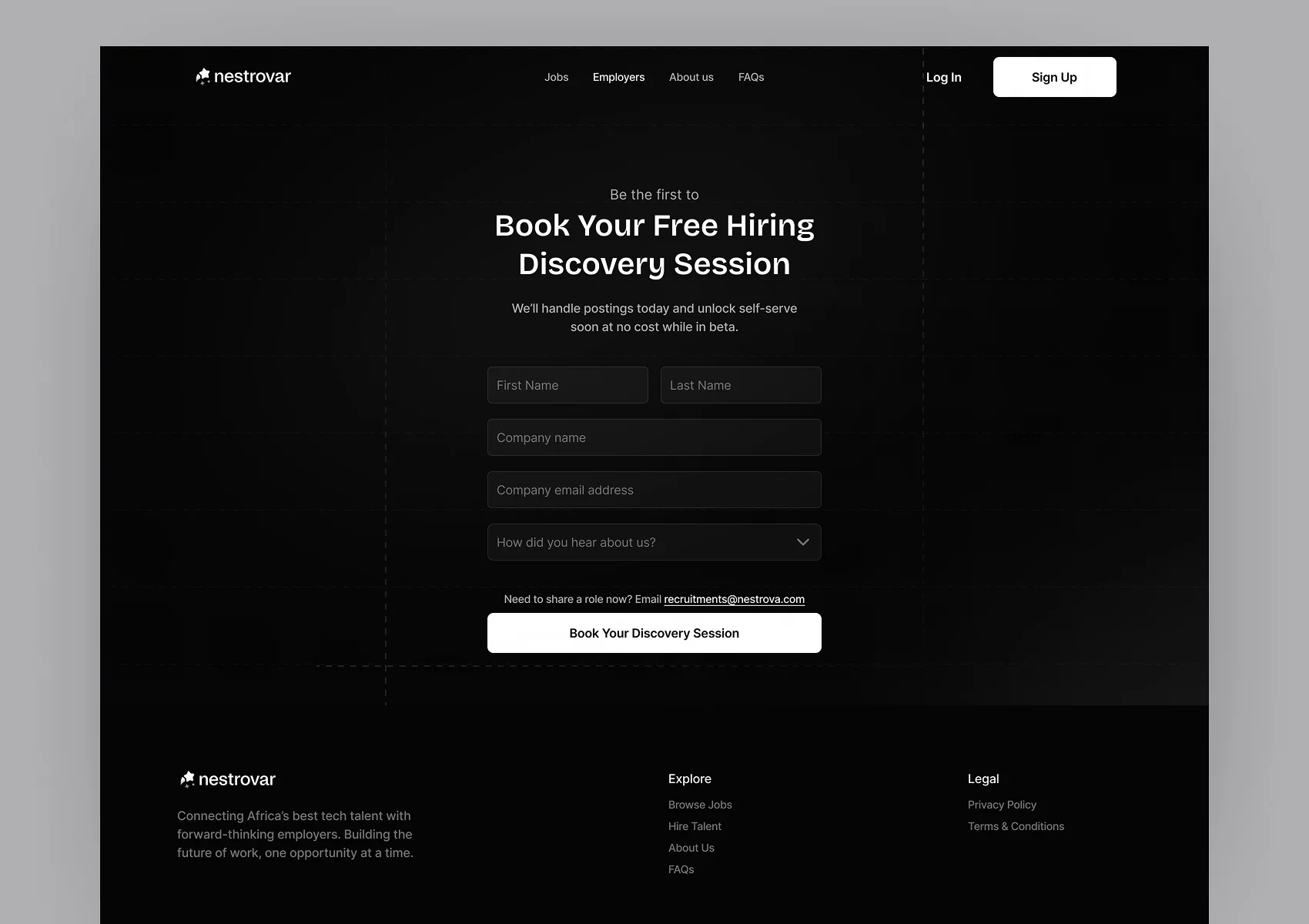
Since the first version didn’t include an employer workspace, the website needed another way for companies to begin the process. That became the Book your free hiring discovery session flow.
An employer can come to the site, explain what they’re looking for and begin a conversation with the Nestrovar team. From there, the internal hiring team can take over the operational work inside the admin product.
This connected the public employer experience to the way the MVP actually worked rather than sending employers towards a dashboard that didn’t exist yet.
The Product
Nestrovar launched with a marketing website, talent experience and internal admin portal. On the talent side, one structured profile can support job discovery, matching and future applications instead of asking someone to rebuild their professional information every time.
On the admin side, each role becomes its own hiring workspace where the team can move from applicants and suggested matches through review, AI-assisted evaluation, interviews, feedback and eventually a hiring decision.
The wider admin product also gives the team a reusable talent pool, company-level visibility and reporting across the recruitment operation, and when the strongest candidates need to reach the employer, that internal information can become a shortlist report and consistent Nestrovar-generated CVs rather than another collection of disconnected files.
Reflection
The admin side was the part of Nestrovar that took the most mental work. There was simply a lot happening inside one job.
You could have applicants and suggested matches, people shortlisted for another review, people ready for interview, AI-generated information, original candidate information, application answers, documents, previous activity and eventually interview feedback. Even the terminology took time to settle because changing one stage affected what another stage meant.
The hardest part wasn’t designing any one screen. It was making sure an admin could enter a job, understand where everyone was, open one candidate, find the level of information they needed and know what action made sense next. That also changed the way I think about complex admin products.
Sometimes the difficult part isn’t deciding what information the system needs. You already know it needs a lot.
The harder question is deciding when someone needs each piece of it, and how much they should have to understand at once.